
Financial Dashboard
EssentialsSee every dollar move through your pharmacy
Revenue, cost of goods, margin, and copay — broken down by payer, prescriber, and drug, refreshed live from DRX.
- Daily revenue, gross profit, and margin trends at a glance
- Brand vs. generic and 340B margin breakdowns
- Drill into the prescribers and payers driving your numbers
- One-click print / PDF for monthly ownership reviews
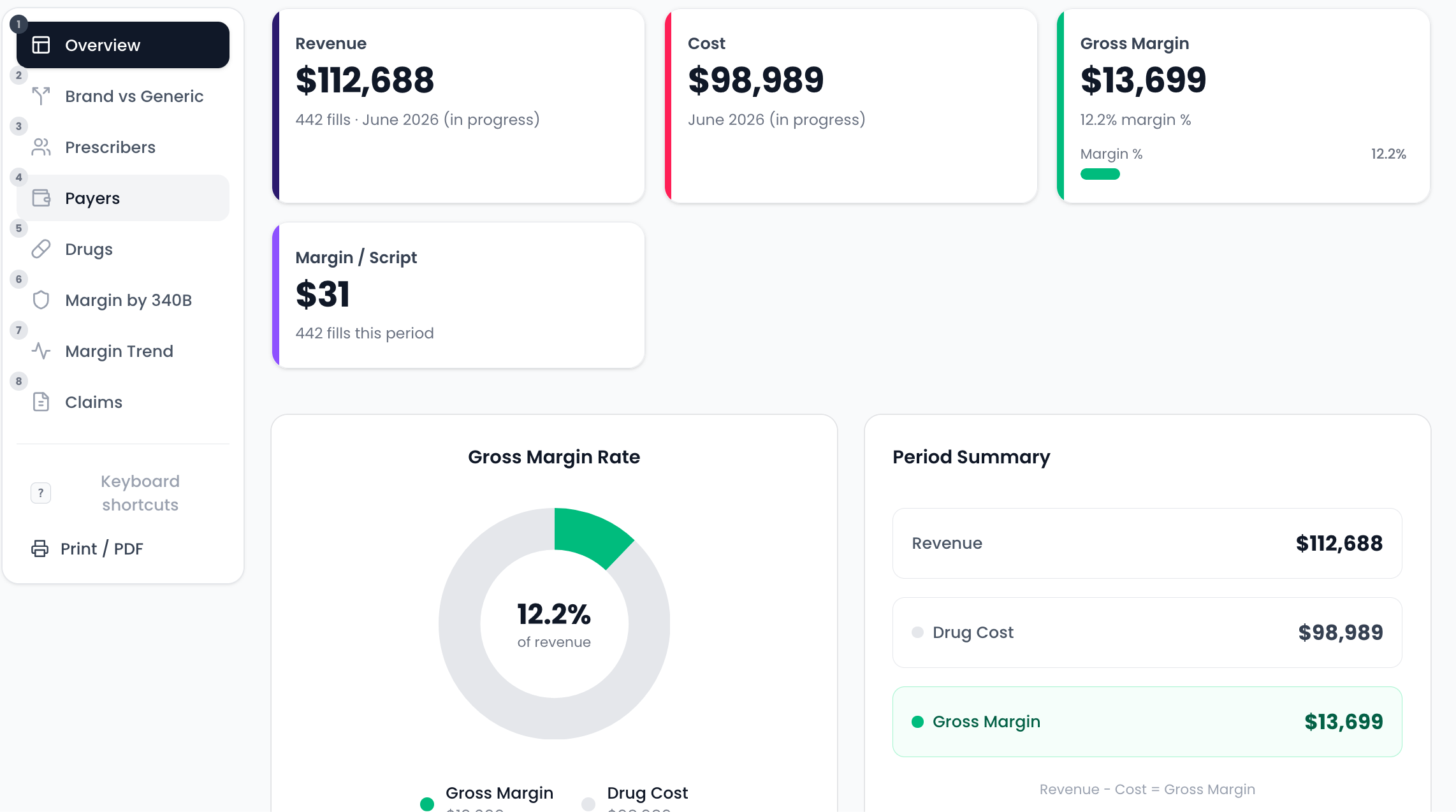
Revenue & margin overview
Headline KPIs and margin rate for the selected month
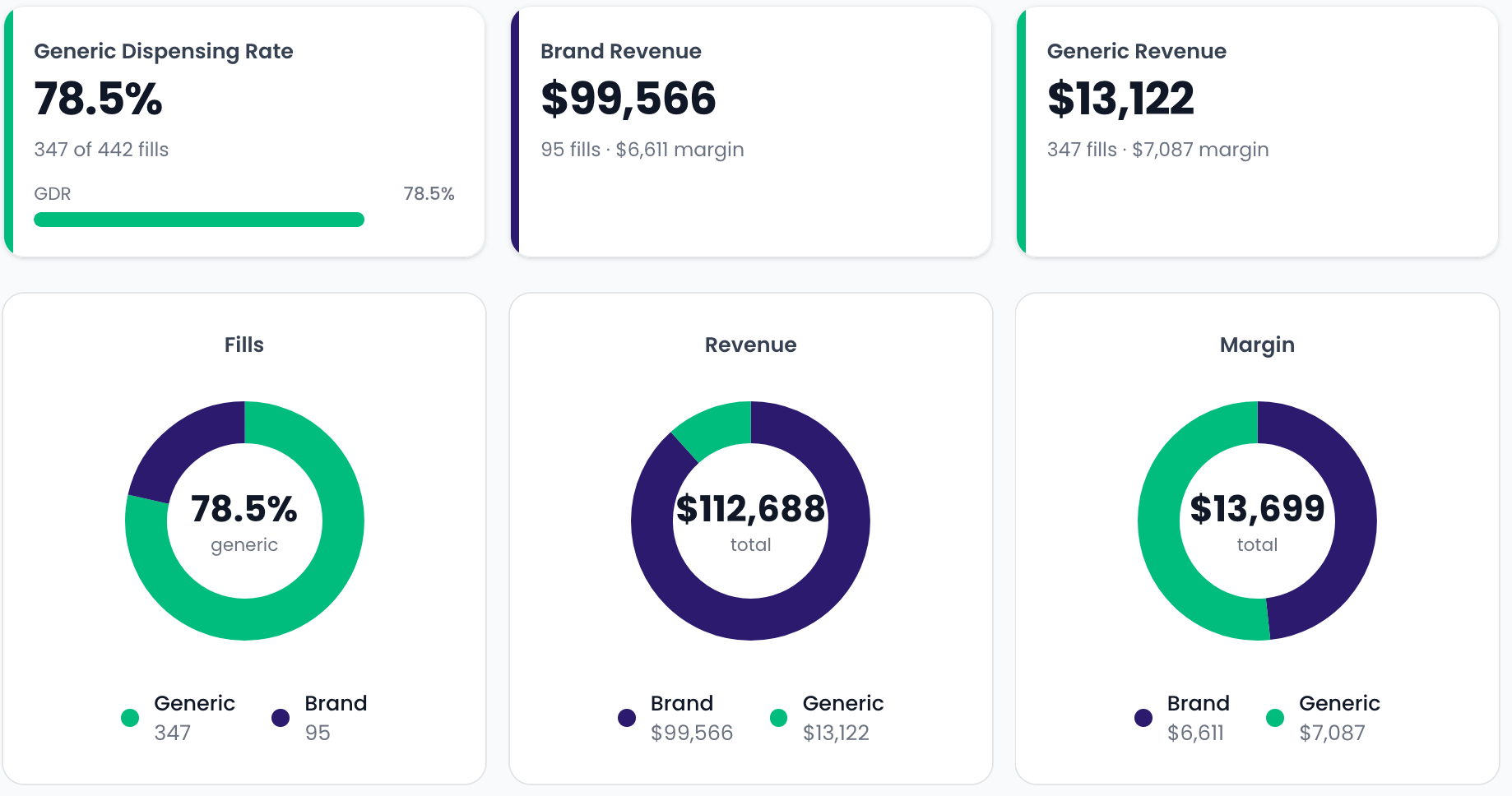
Brand vs. generic split
GDR, fills, revenue, and margin by brand vs. generic
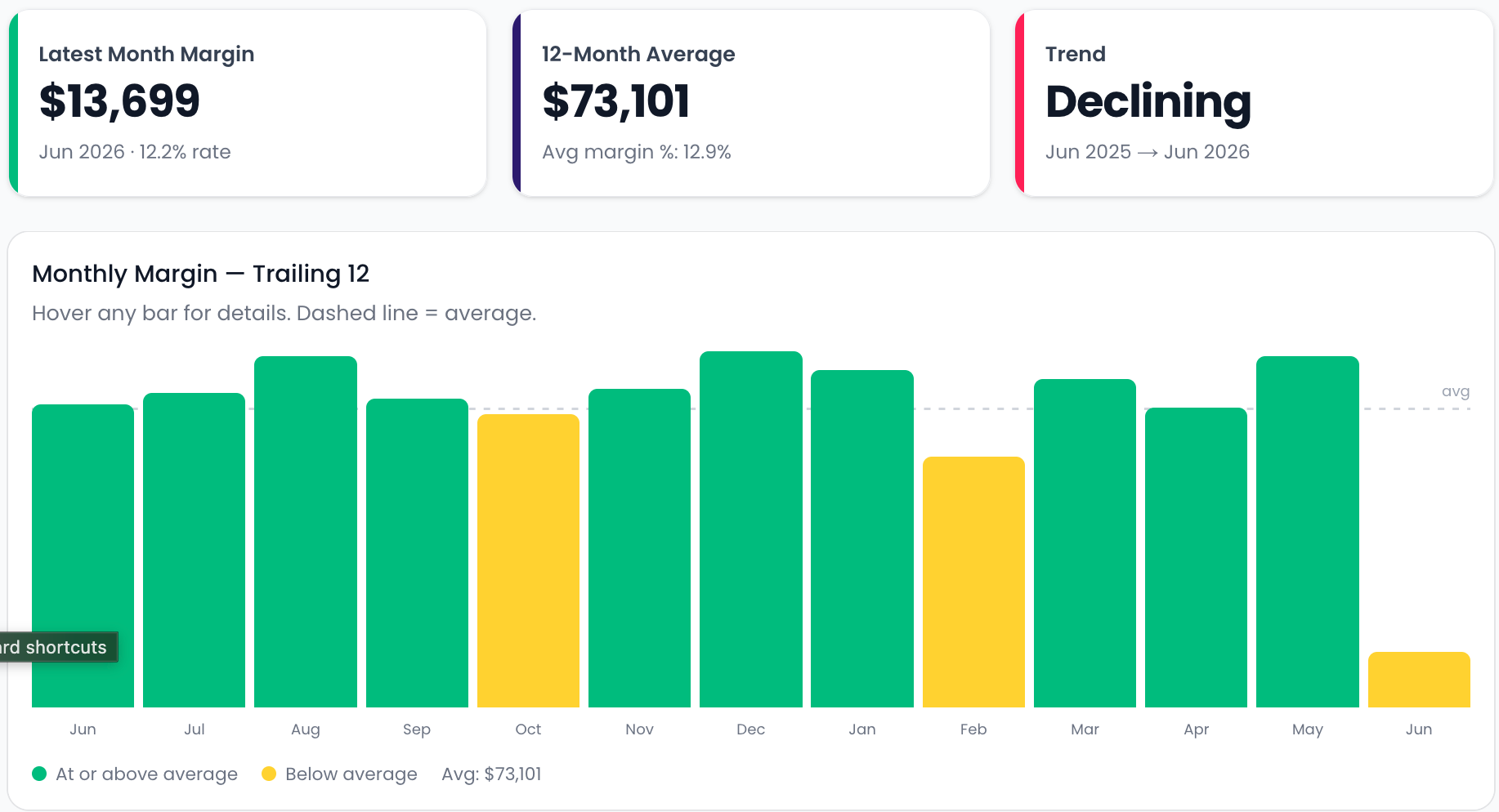
Margin trend
Trailing 12-month margin with average line
Waiting Bin Automation
EssentialsGet prescriptions out the door — automatically
Escalating SMS pickup reminders and aging-bin tracking so nothing sits unsold and return-to-stock is effortless.
- Automated SMS reminders with escalating urgency
- Live aging view — see what's been waiting longest
- Return-to-stock reporting when scripts go unclaimed
- Tags RTS'd fills in DRX so they're easy to reference later
- Runs on DRX webhooks — zero manual entry
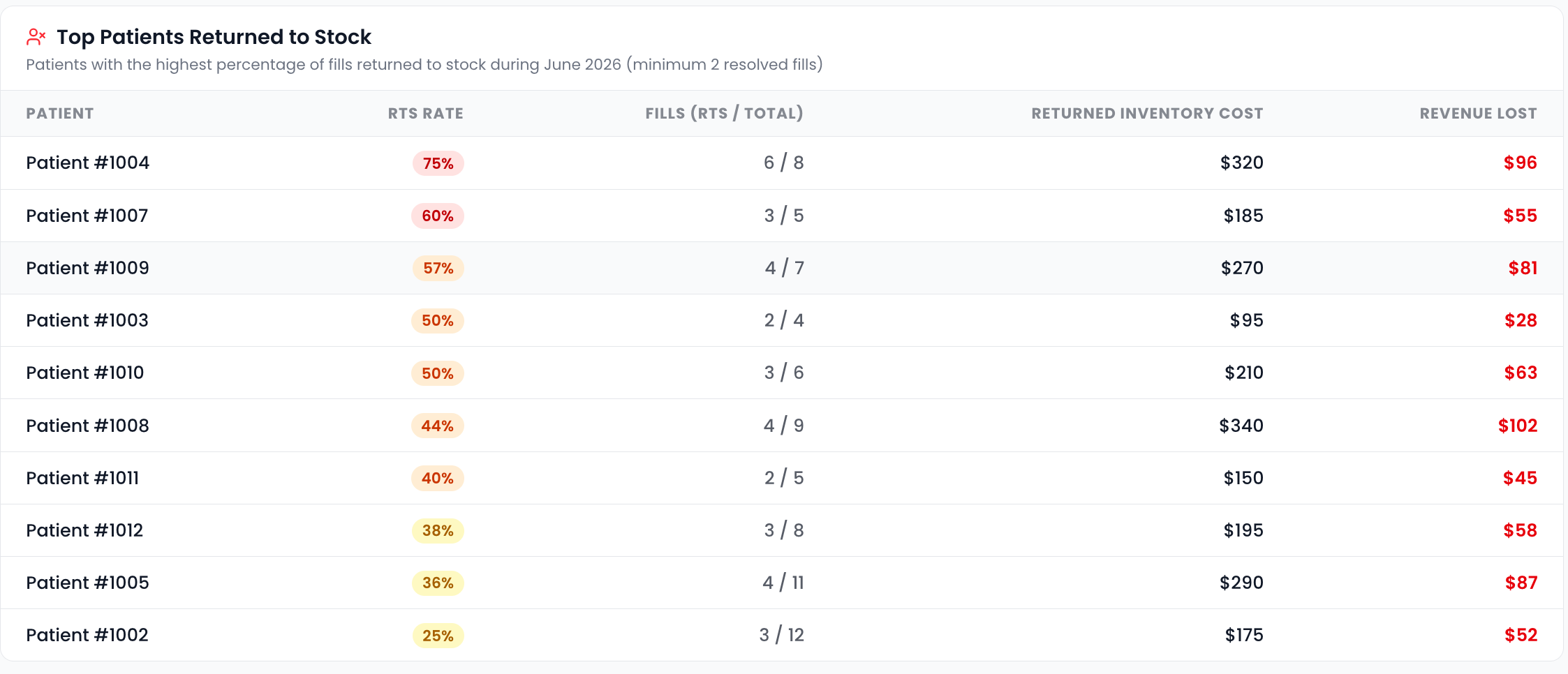
Top patients returned to stock
RTS rate, inventory cost, and revenue lost per patient
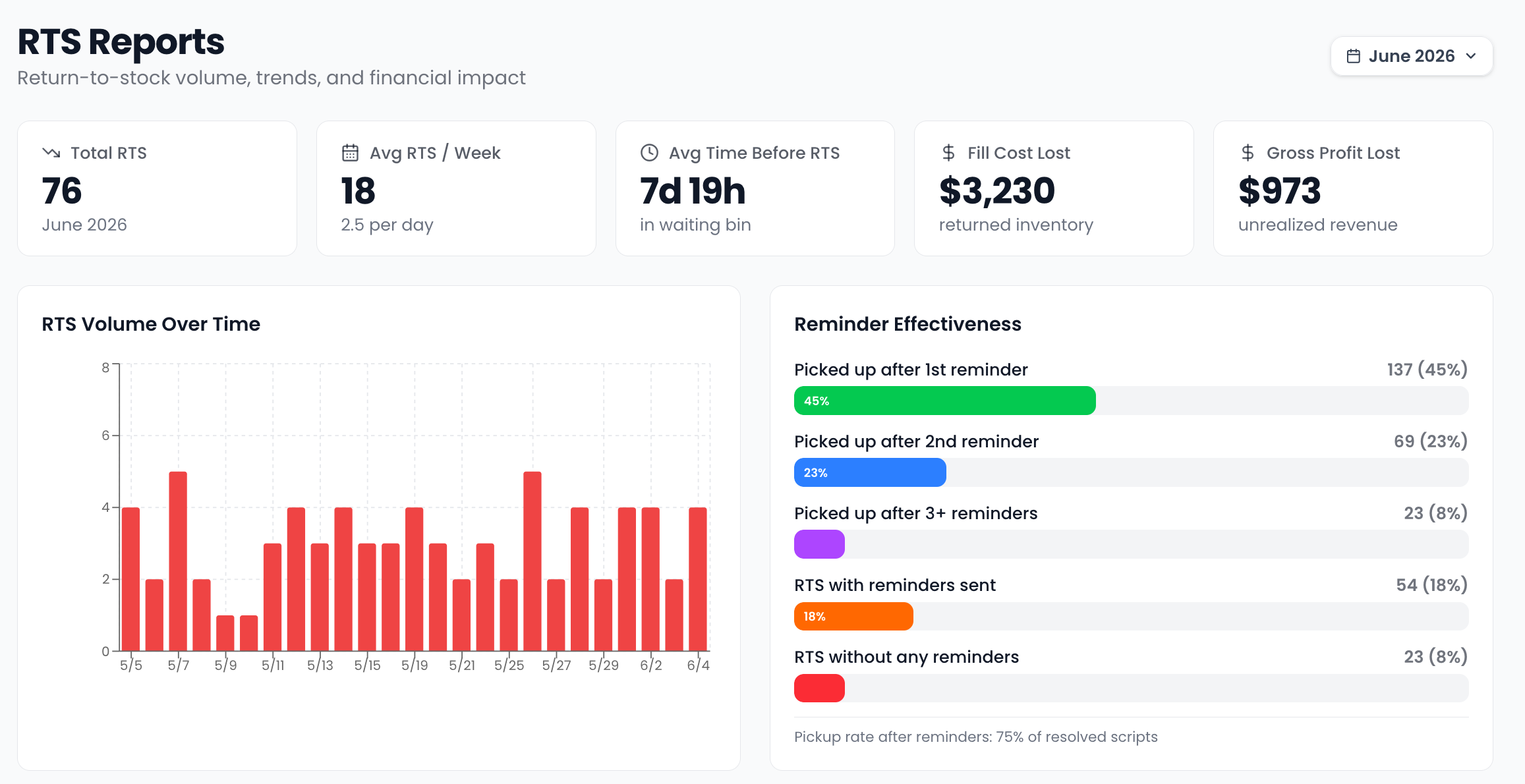
RTS reports
Return-to-stock volume, trends, and reminder effectiveness
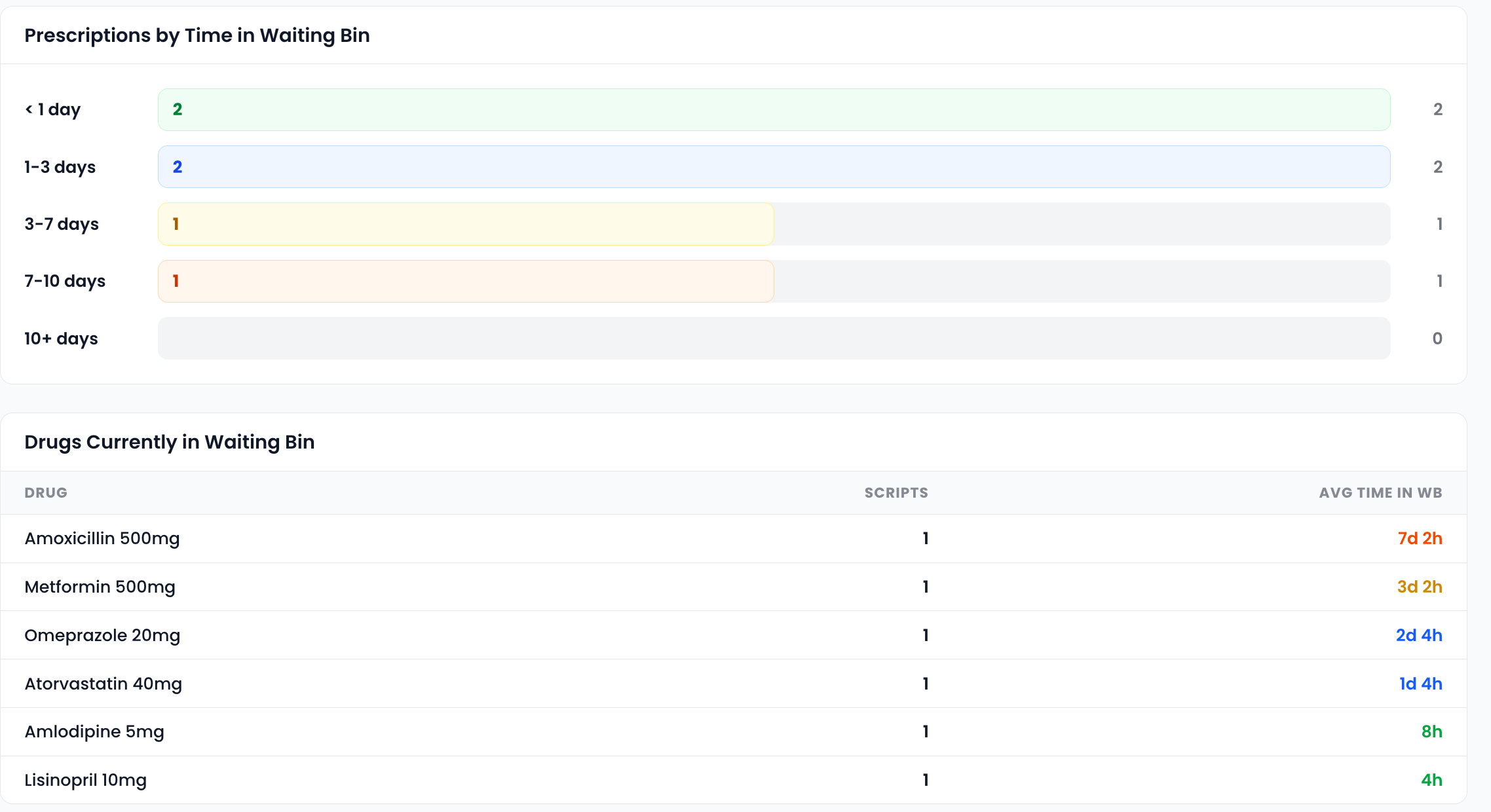
Aging breakdown & drug summary
Time-in-bin distribution and top drugs waiting
Inventory Intelligence
EssentialsSmarter counts, sharper pricing, leaner shelves
ABC-classified cycle counts, OTC shelf-price alerts, supplier cost optimization, and dead-stock detection in one place.
- ABC-classified daily count lists — count what matters
- OOS recovery with instant cross-store inventory lookup
- Reorder-point suggestions for drugs that go OOS most often
- OTC shelf-price alerts when supplier costs shift
- Dead-stock detection surfaces capital sitting on shelves
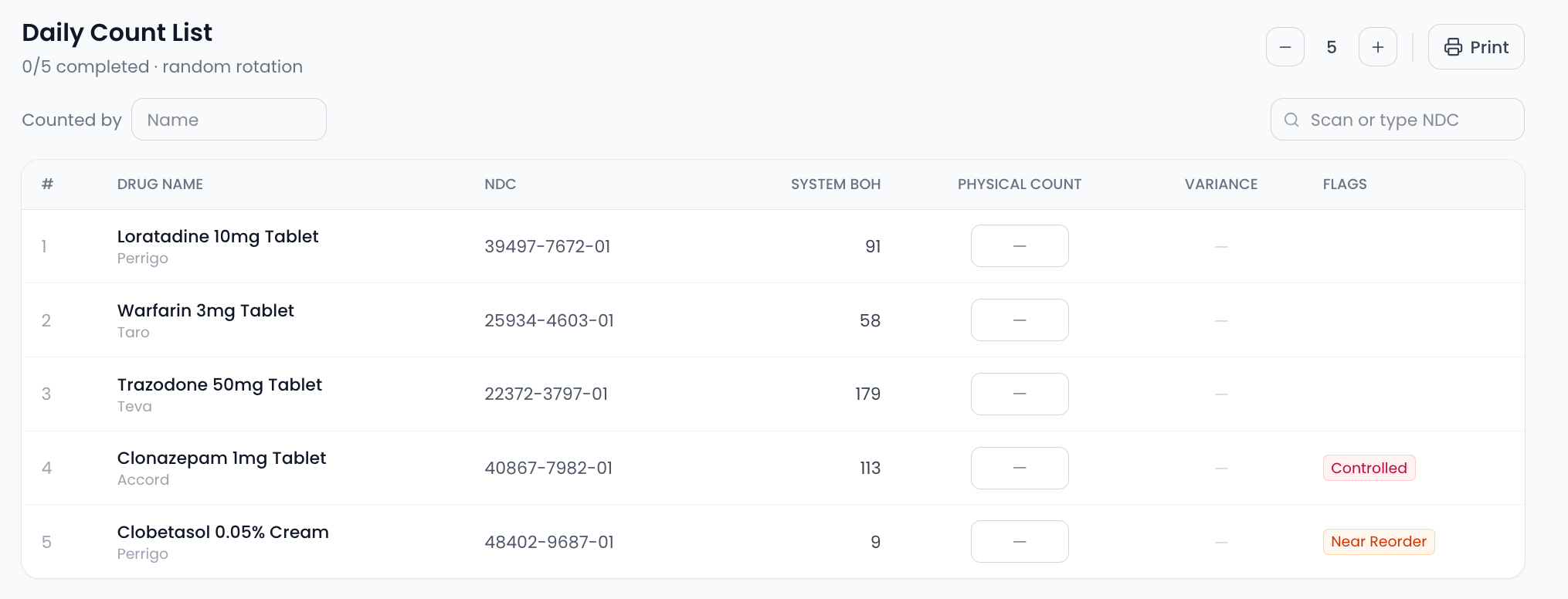
Daily count list
ABC-prioritized items due for a count
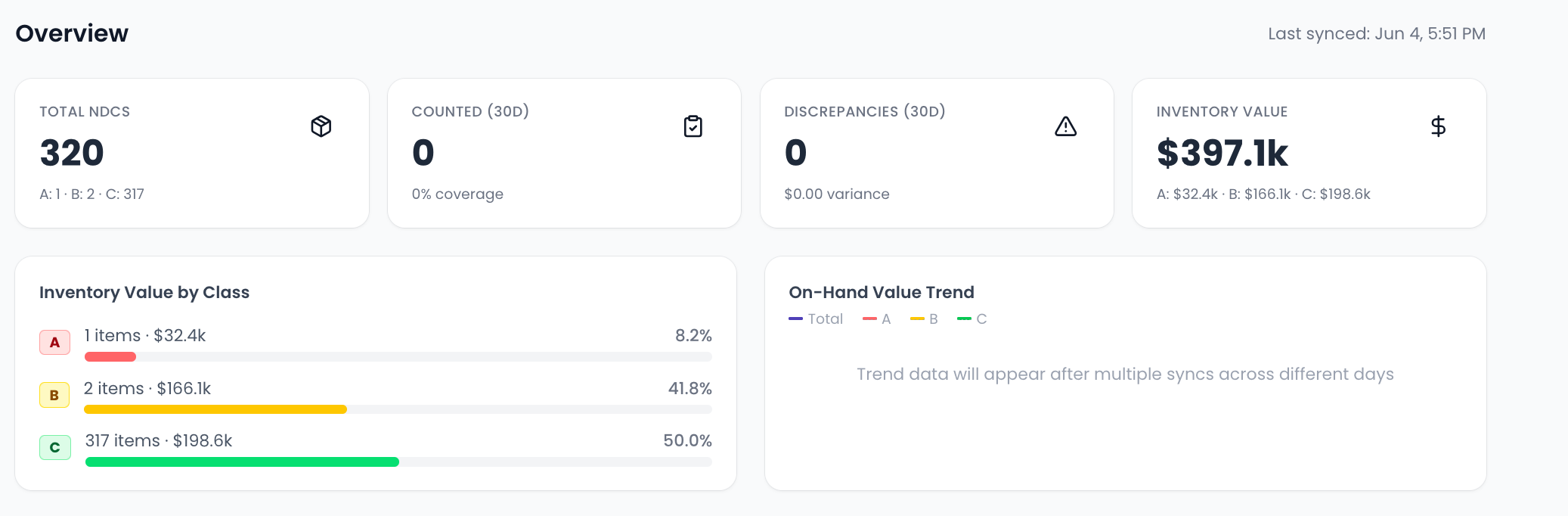
Inventory overview
ABC classification, value by class, and on-hand trend
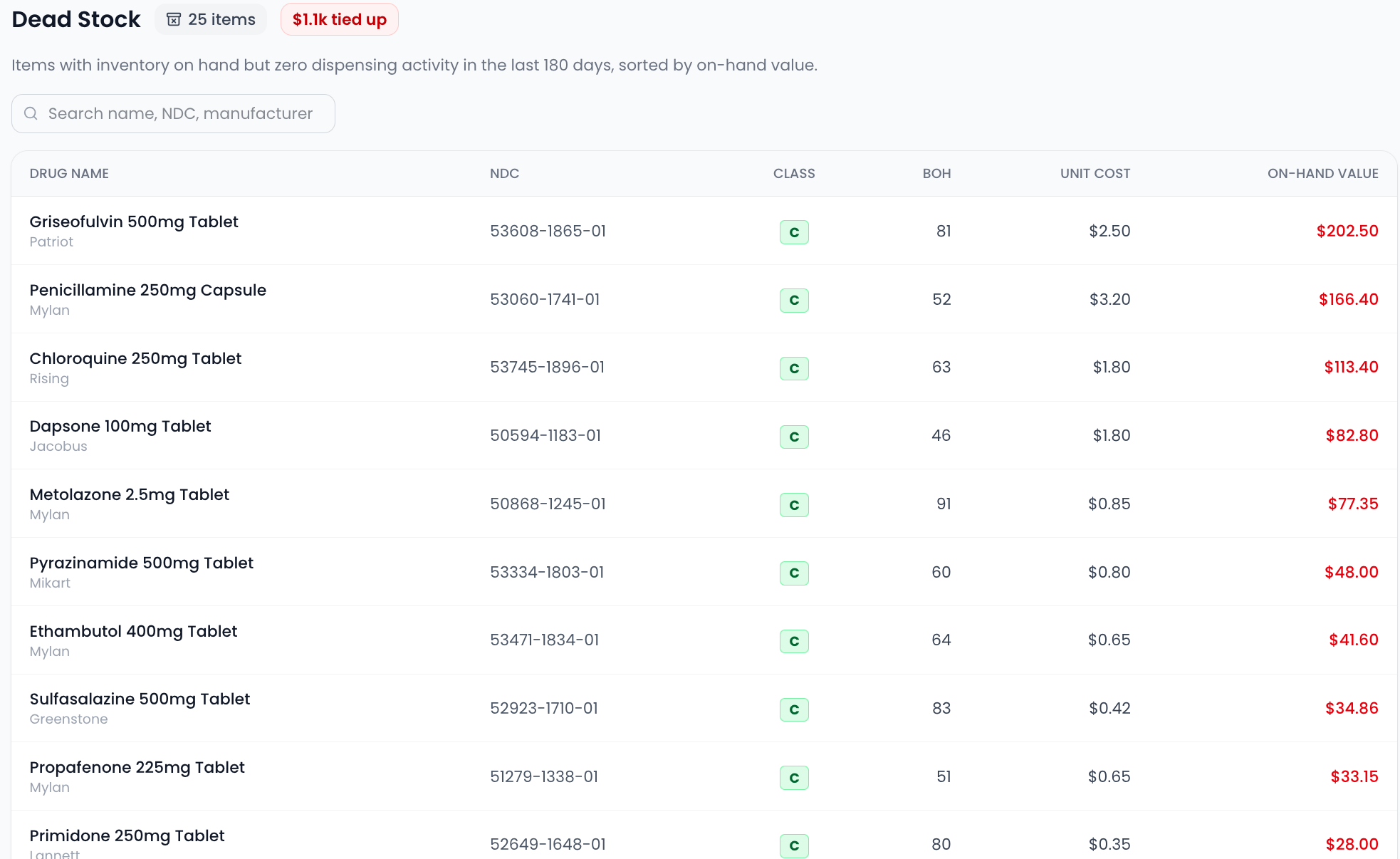
Dead-stock report
Zero-dispense items with capital tied up on shelves
Refills Due
EssentialsYour refills due — filtered, sorted, and ready to batch
Richer filters, customizable columns, and one-click batch refill lists layered on top of your live DRX refill data.
- Filter by payer BIN, gross profit, controls, sync and facility patients
- Customizable columns — toggle, drag to reorder, sort, and search every field
- Build a batch refill list, then drop the Rx numbers straight into DRX
- Gross profit and days supply visible right in the list
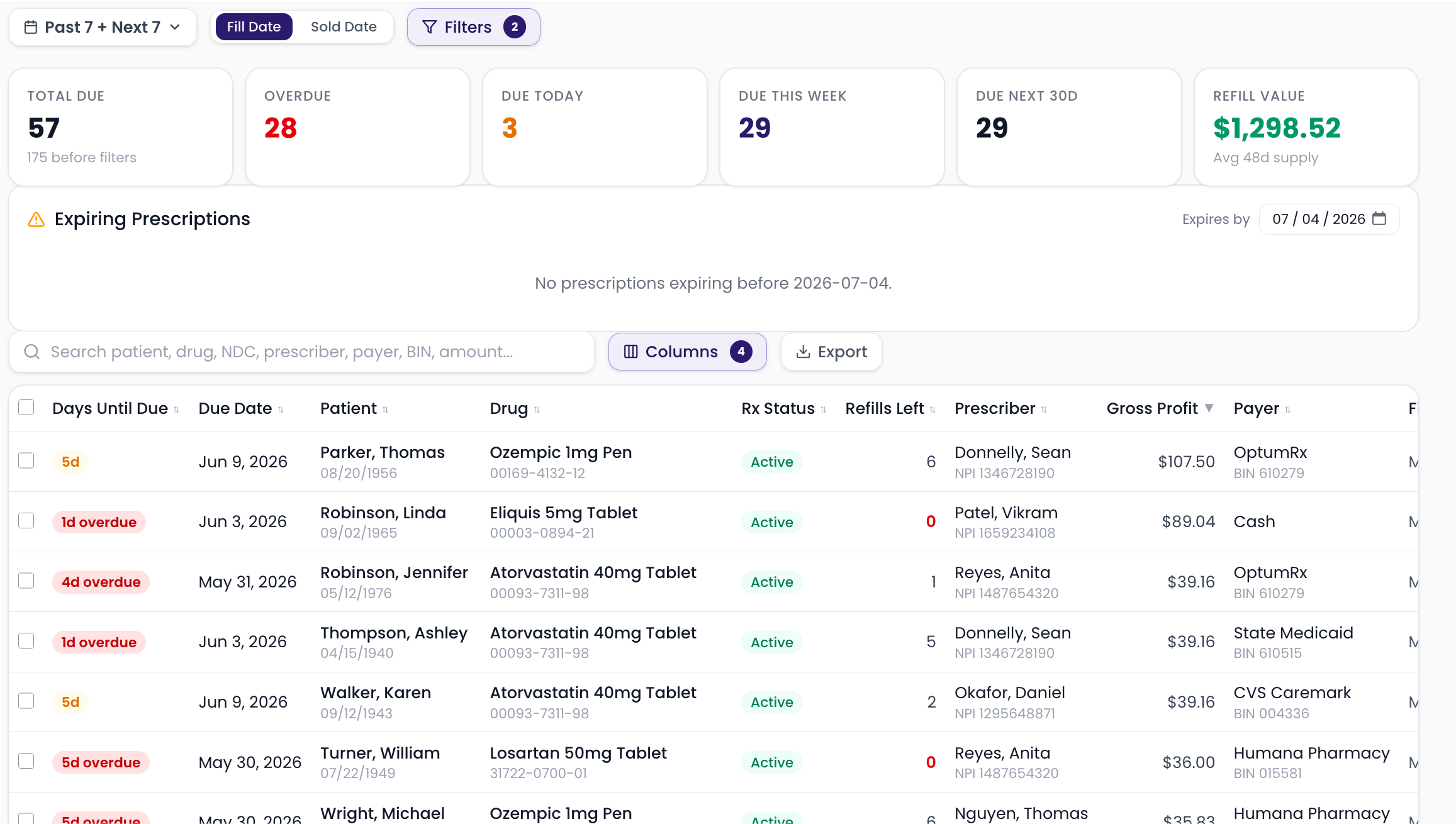
Refills due report
Filter, sort, and customize columns
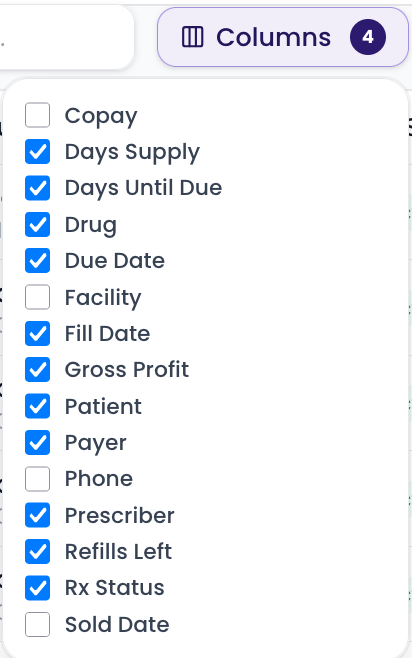
Customizable column views
Toggle, drag to reorder, and sort every field
Tag Manager
EssentialsSee every tag in your pharmacy at a glance
A single, searchable view of every fill and patient tag in DRX and how often each is used — audit your tag vocabulary without digging through the system.
- One overview of every fill tag and patient tag, with how often each is used
- Search across all tag types to audit what's in use
- Spot duplicates, typos, and one-off tags at a glance
- Always live from DRX — reflects your current tags in real time
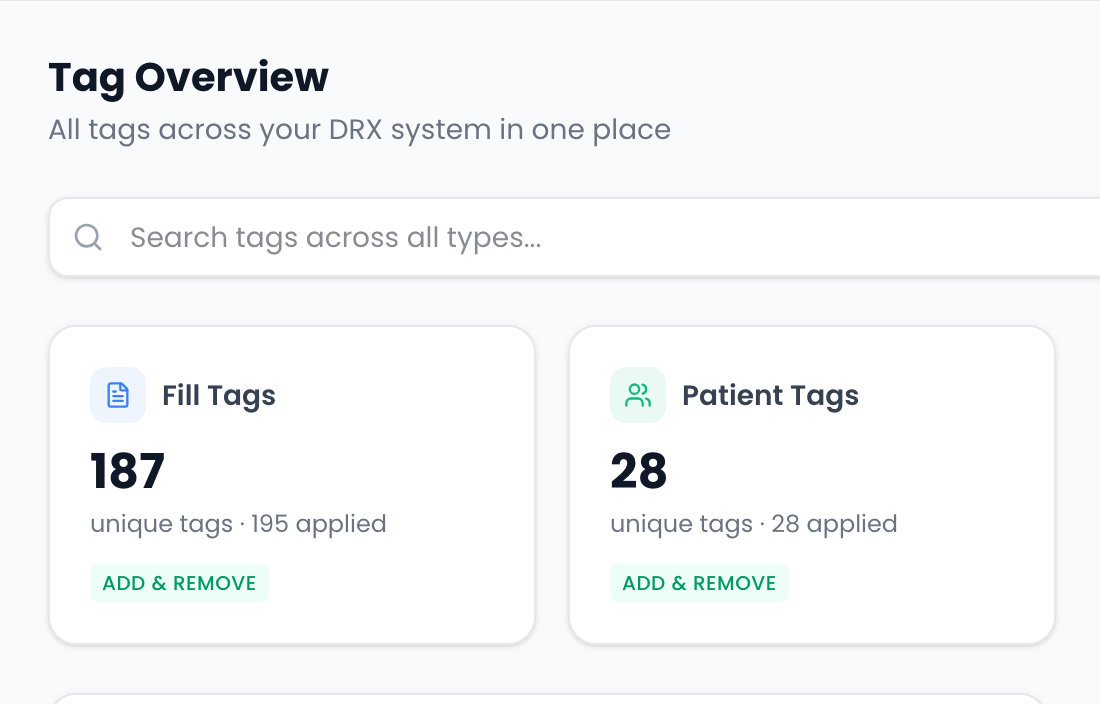
Tag overview
Every fill and patient tag with how many times each is used
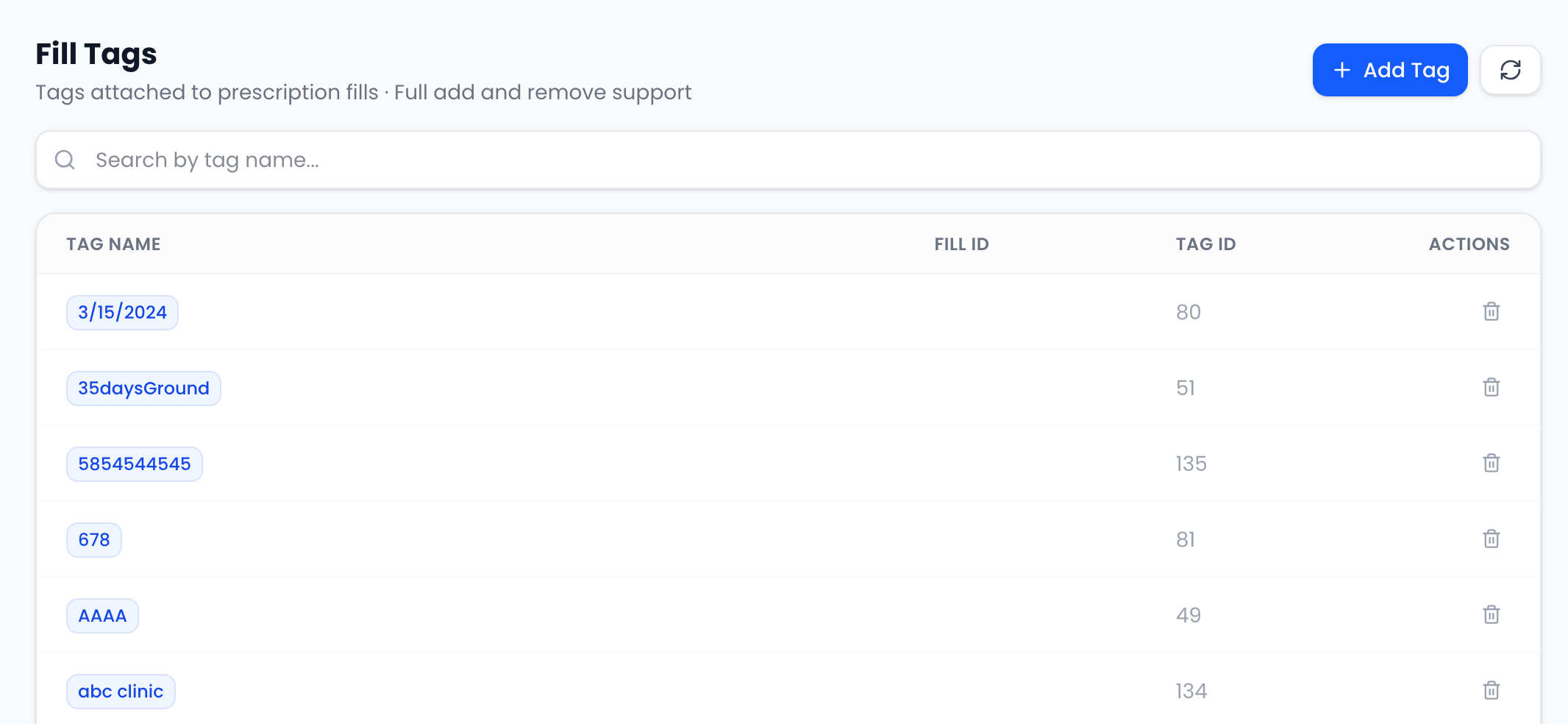
Fill tags
Read-only list of tags applied to fills
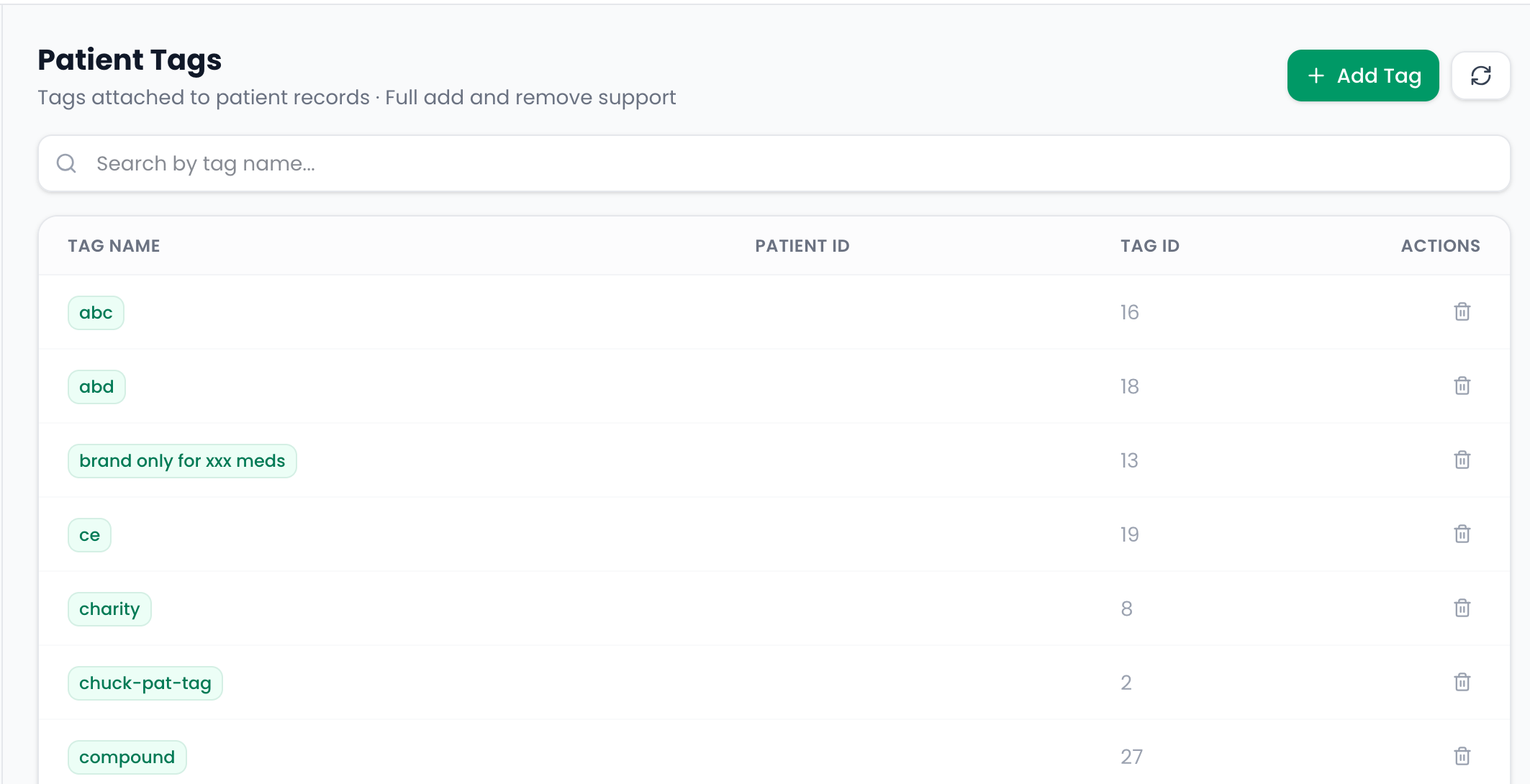
Patient tags
Read-only list of tags applied to patients
Workflow Monitor
Growth + OptimizationFind the bottleneck in your fill workflow
Track time spent at Print, Scan, and Verify and spot where scripts pile up — by staff, by hour, by location.
- Stage-by-stage fill timing across the workflow
- Pinpoint bottlenecks by hour of day
- Compare throughput by staff member and location
- Catch backlogs before they become wait-time complaints
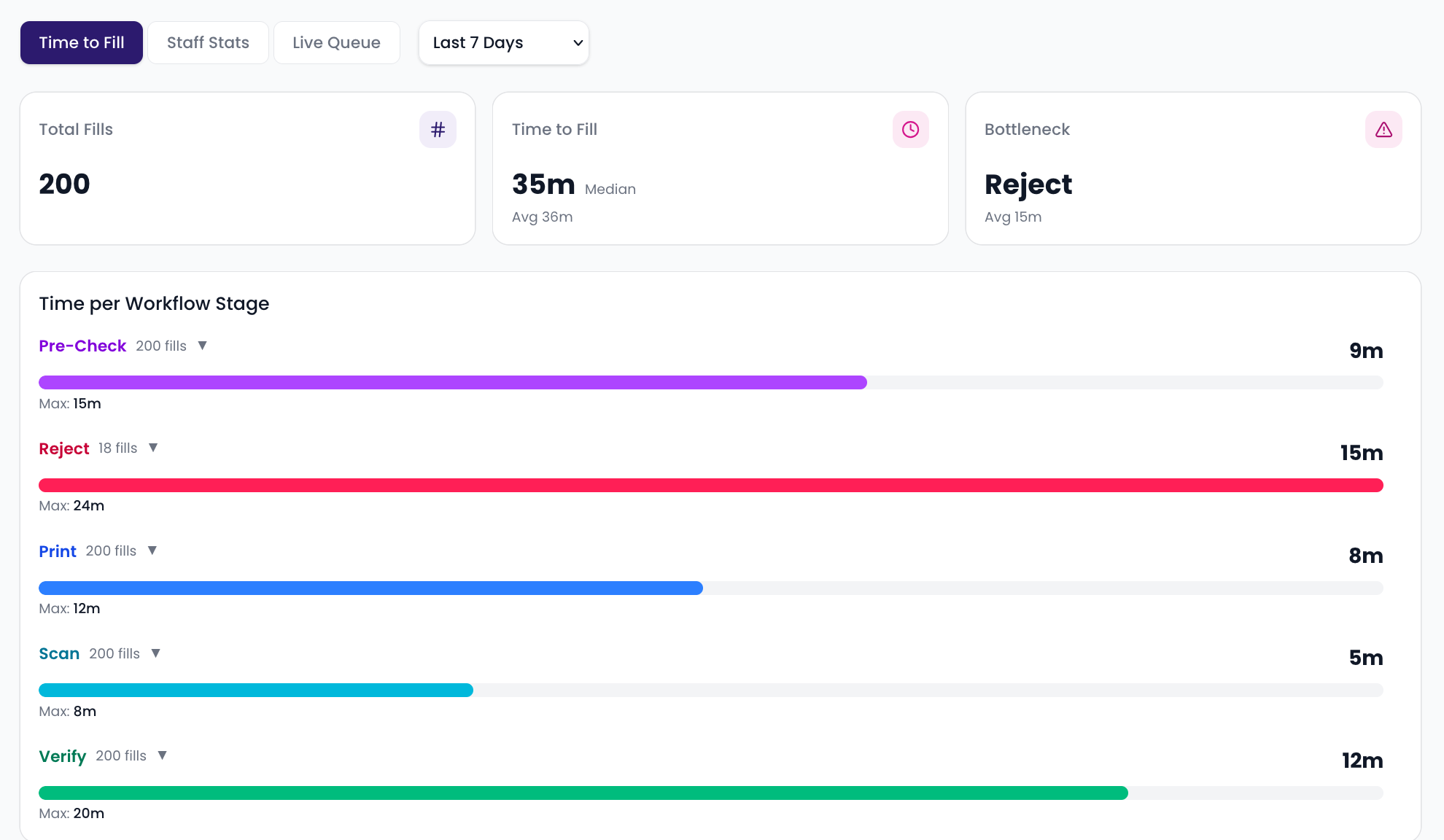
Stage timing overview
Time per workflow stage with bottleneck detection
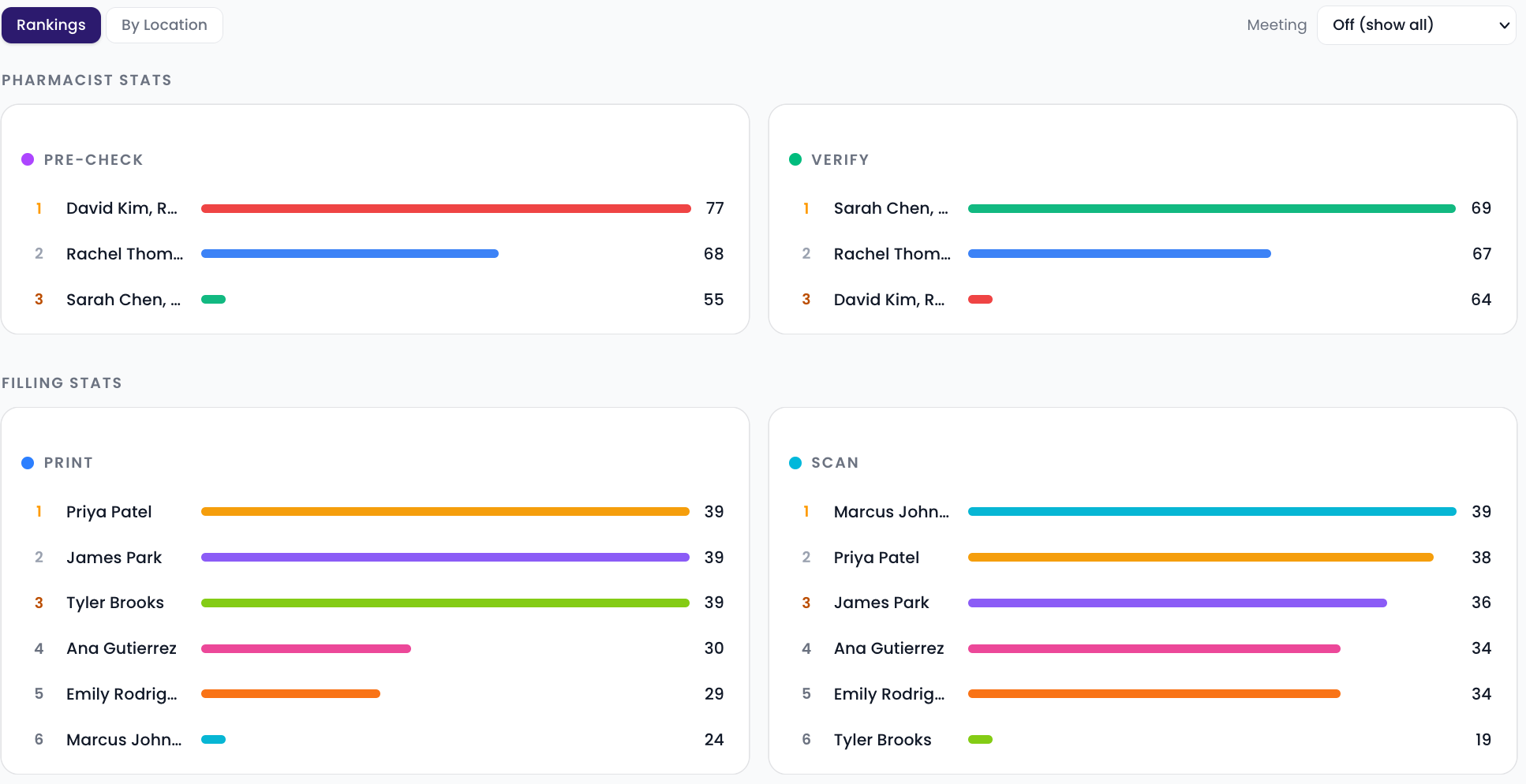
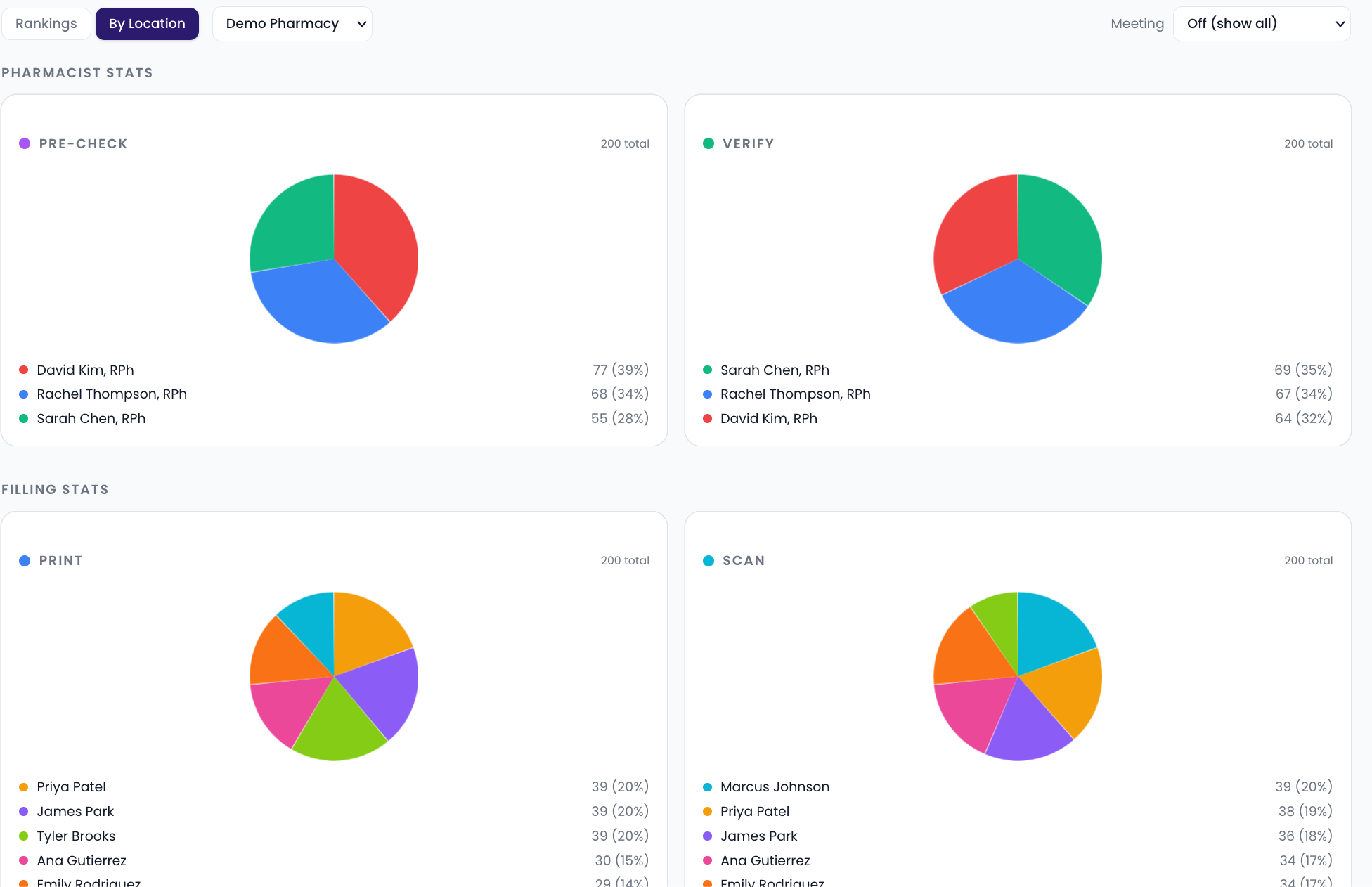
Staff stats
Pharmacist and filling staff ranked by stage
Live queue
Scripts in progress right now by workflow stage
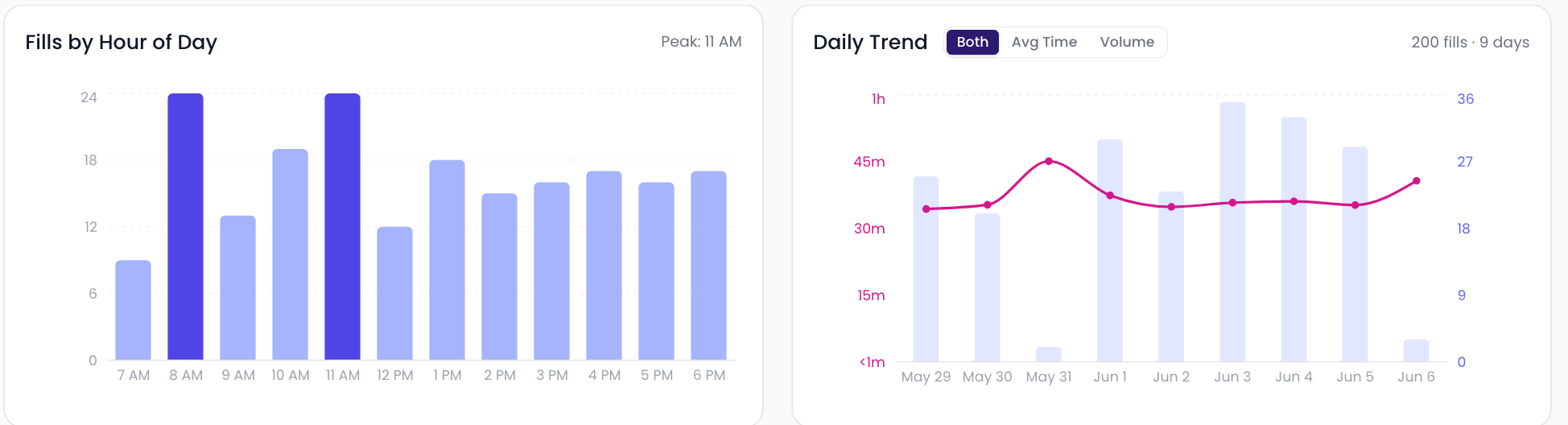
Hourly volume & daily trend
Fills by hour of day and daily time-to-fill trend
MedSync
Growth + OptimizationBuild a med-sync program that sticks
Identify sync candidates, track adherence rates, and measure conversion across your patient population.
- Med-sync candidate identification
- Adherence rate tracking by patient cohort
- Conversion performance over time
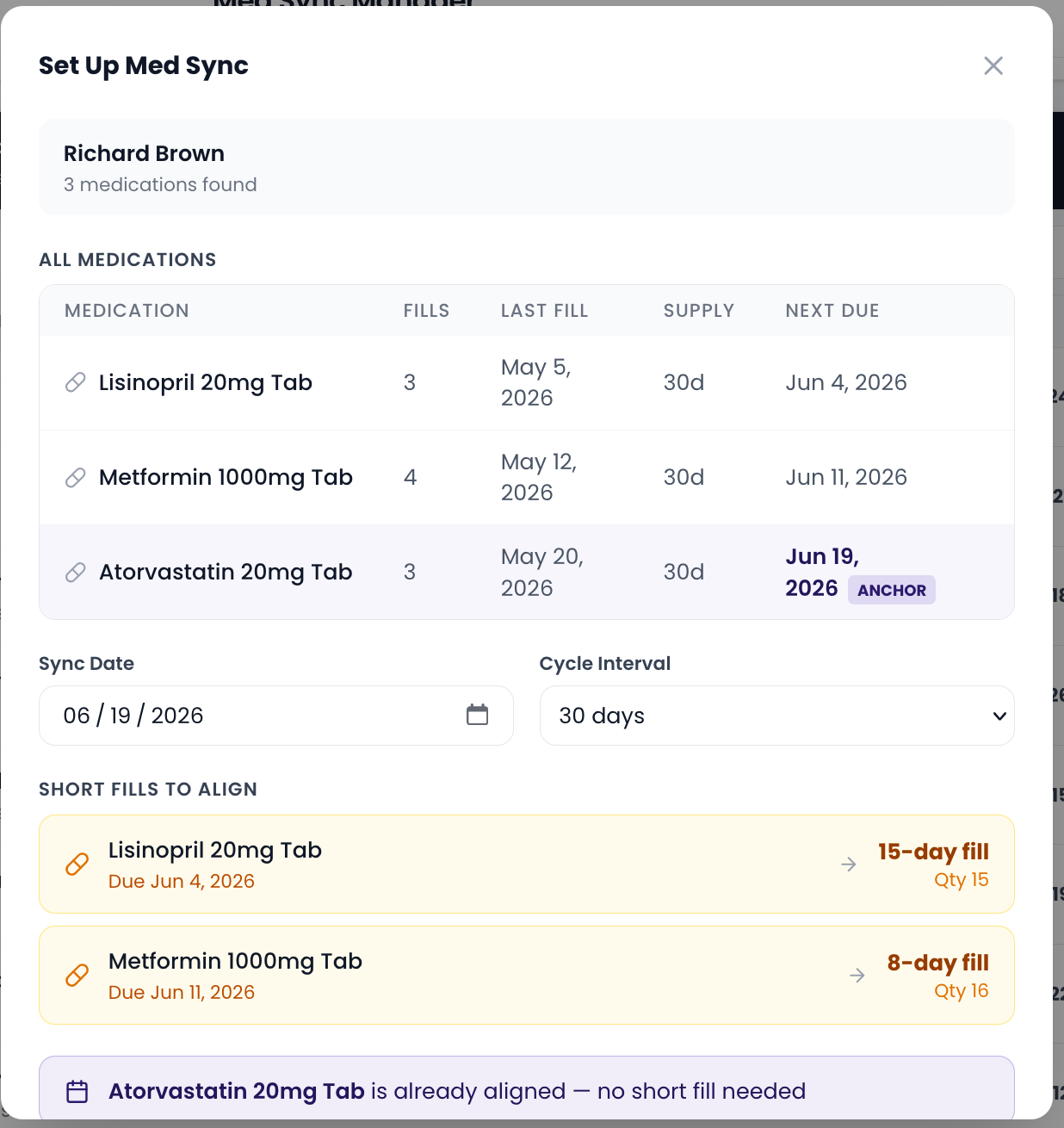
- Enroll a patient in MedSync with a sync date right from this tool
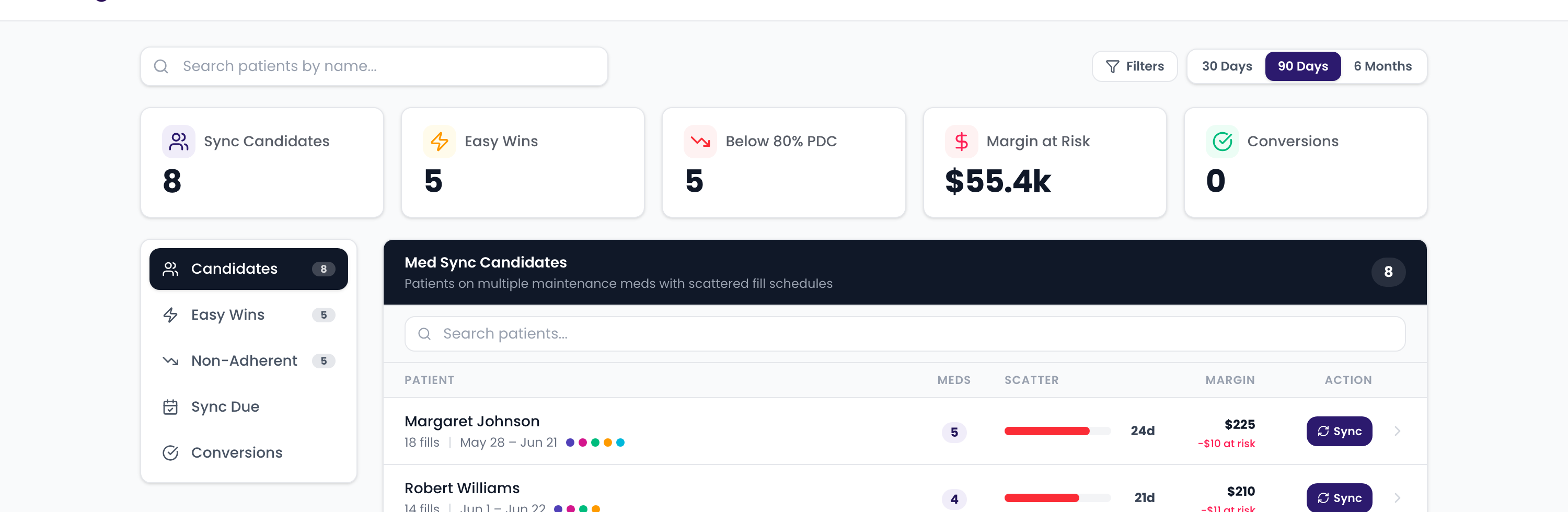
Sync candidates
Patients ready for med synchronization
Easy wins
Near-sync patients with the biggest payoff
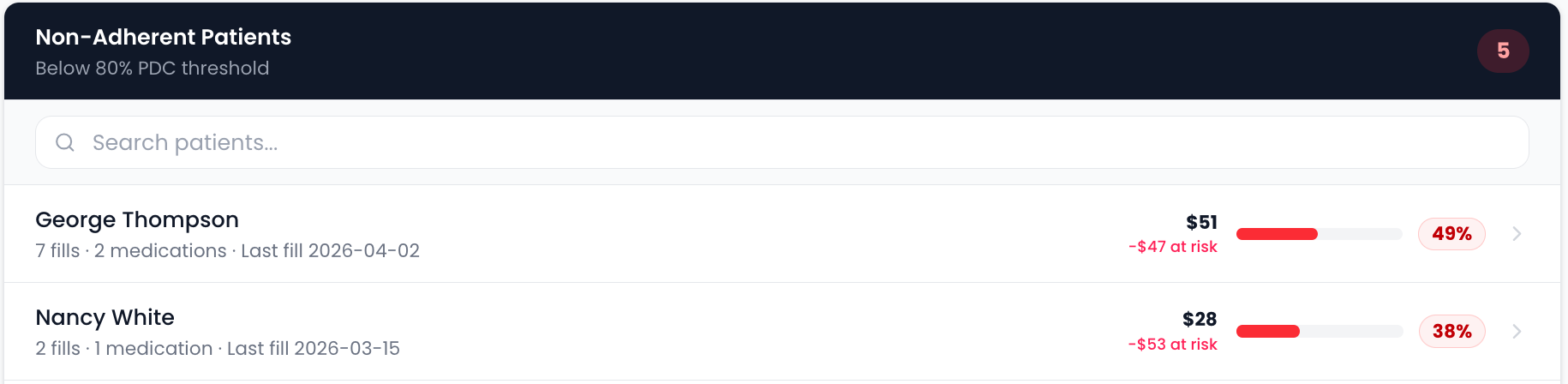
Non-adherent patients
Below-threshold PDC, flagged for outreach
Payer Scorecard
Growth + OptimizationKnow which plans actually pay you
Compare reimbursement, DIR fees, and rejection patterns across your payer mix to find your best and worst plans.
- Reimbursement and margin ranked by payer
- DIR fee exposure surfaced per plan
- Rejection-rate patterns by payer
- Spot the plans quietly eroding your margin
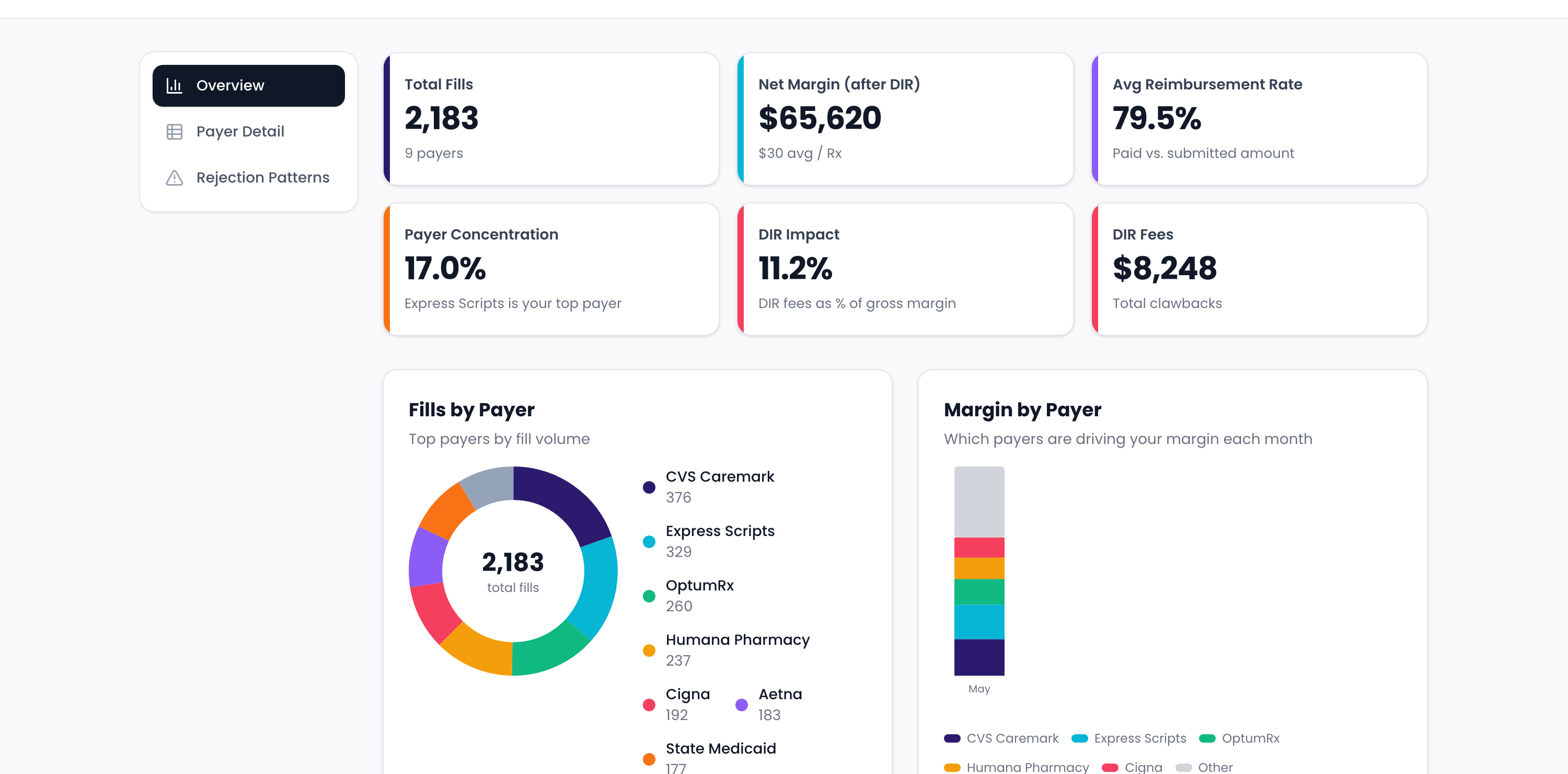
Payer mix & margin
Fills and margin by payer at a glance
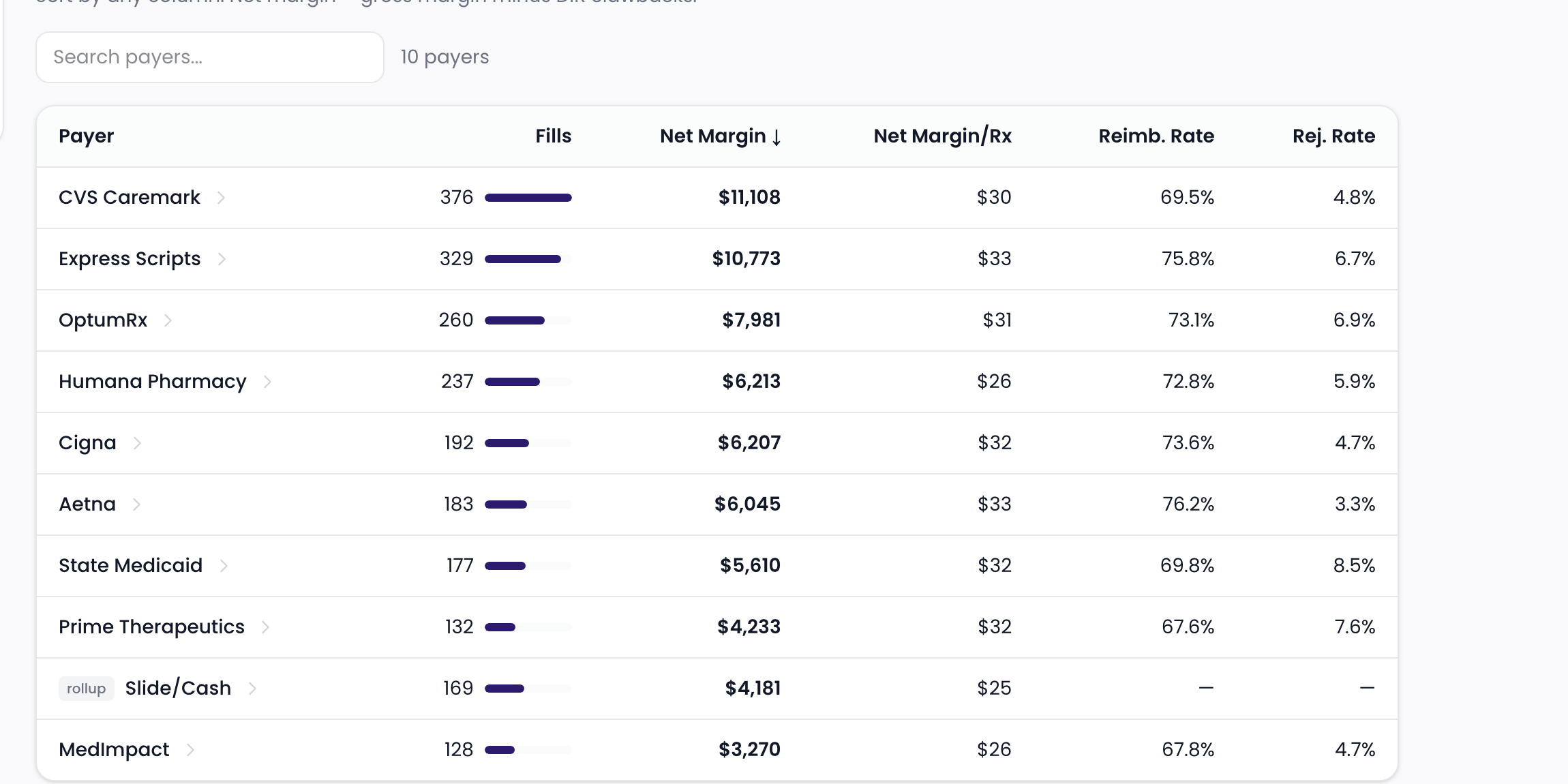
Plan profitability
Every payer ranked by net margin
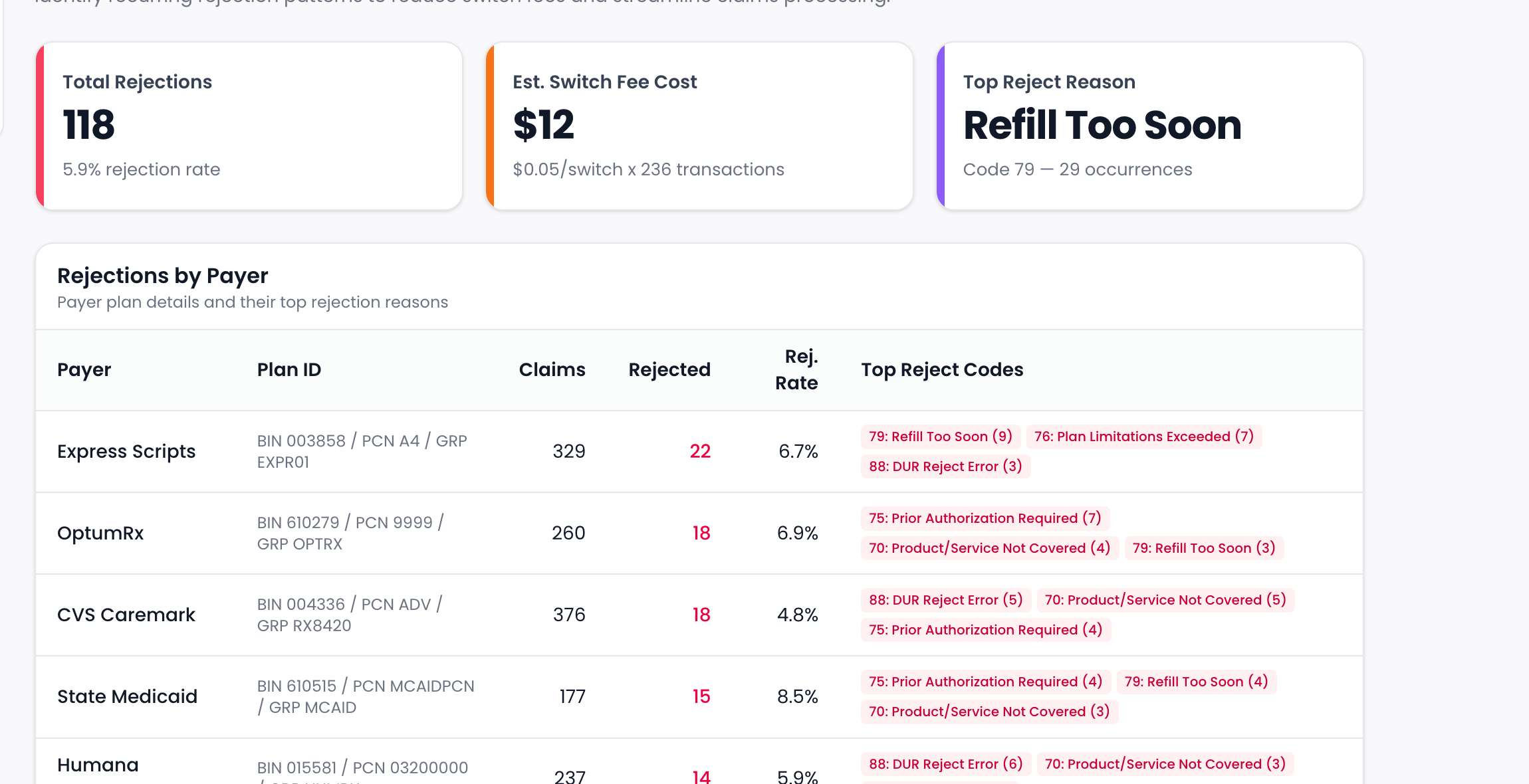
Rejection patterns
Reject rates and top codes by payer
Prescriber Scorecard
Growth + OptimizationSee who's sending you business — and who's slipping
Rank prescribers by volume, revenue, and growth, and track new vs. returning relationships over time.
- Prescribers ranked by volume and revenue
- Growth trends highlight rising and fading referrers
- New vs. returning prescriber tracking
- Detail view for any single prescriber
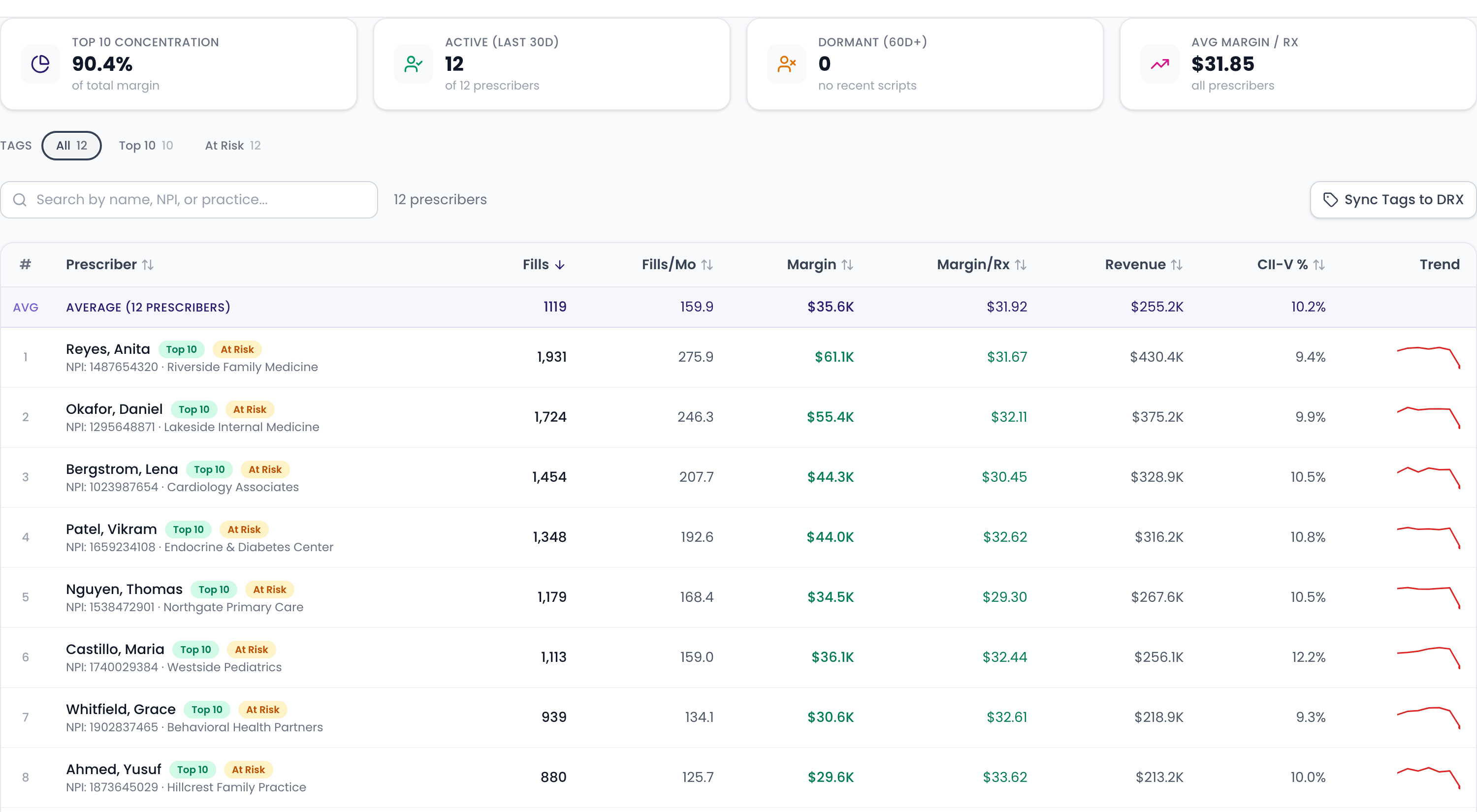
Prescriber leaderboard
Ranked by revenue and growth
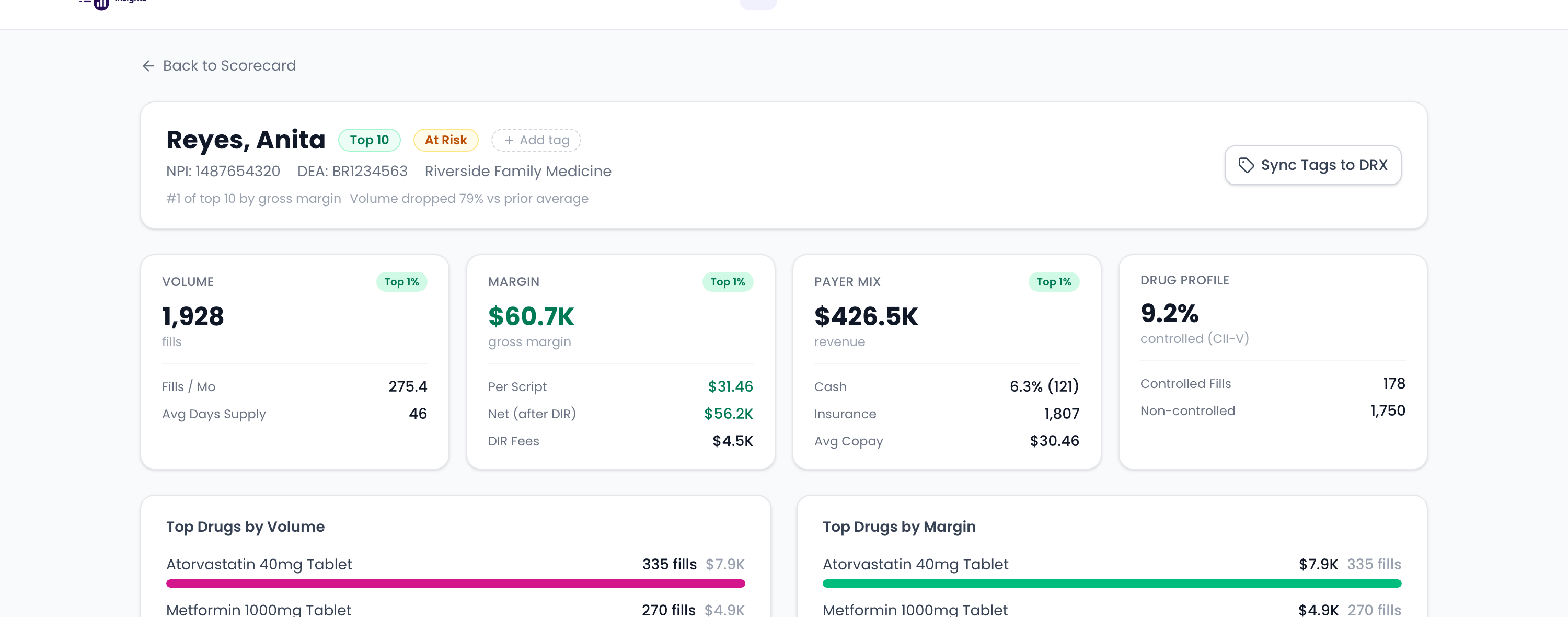
Prescriber detail
Drill into any prescriber's drugs, payers, and trend
Prescription Analytics
Growth + OptimizationUnderstand what you're really dispensing
Deep-dive fill volume, new Rx vs. refills, top drugs, and dispensing trends across every location.
- Fill volume trends across locations
- New Rx vs. refill mix over time
- Top drugs by volume and revenue
- Dispensing patterns you can act on
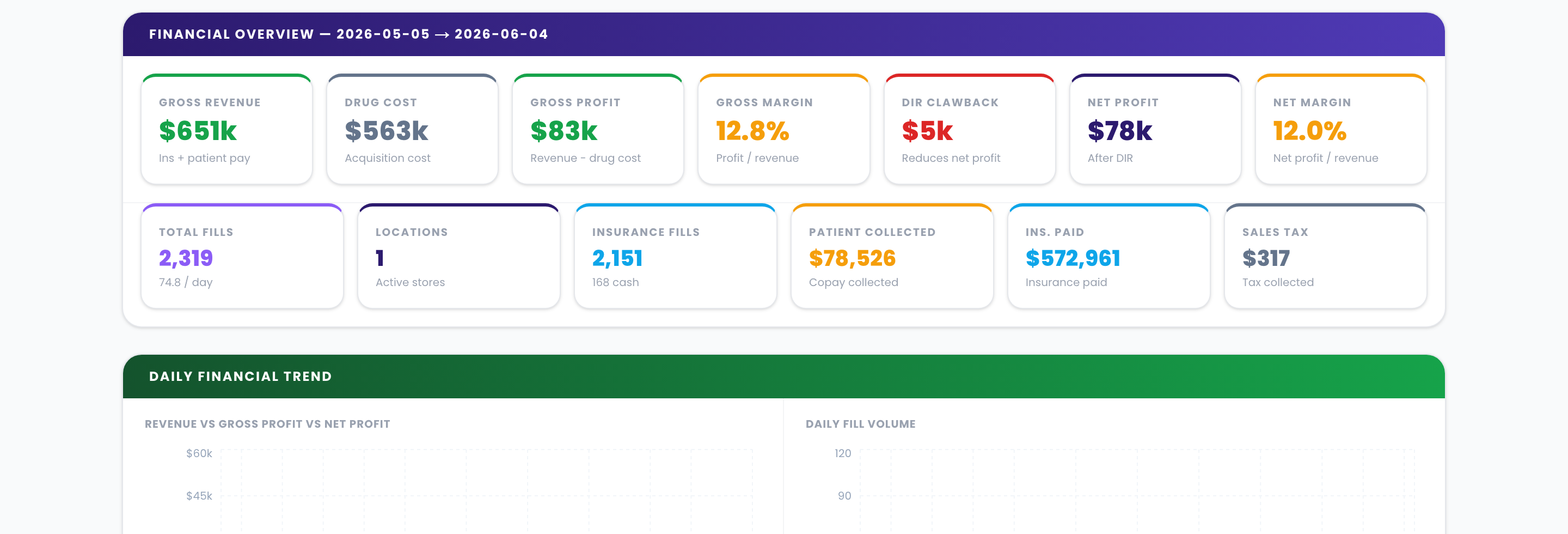
Volume & revenue overview
Fills, revenue, and margin at a glance
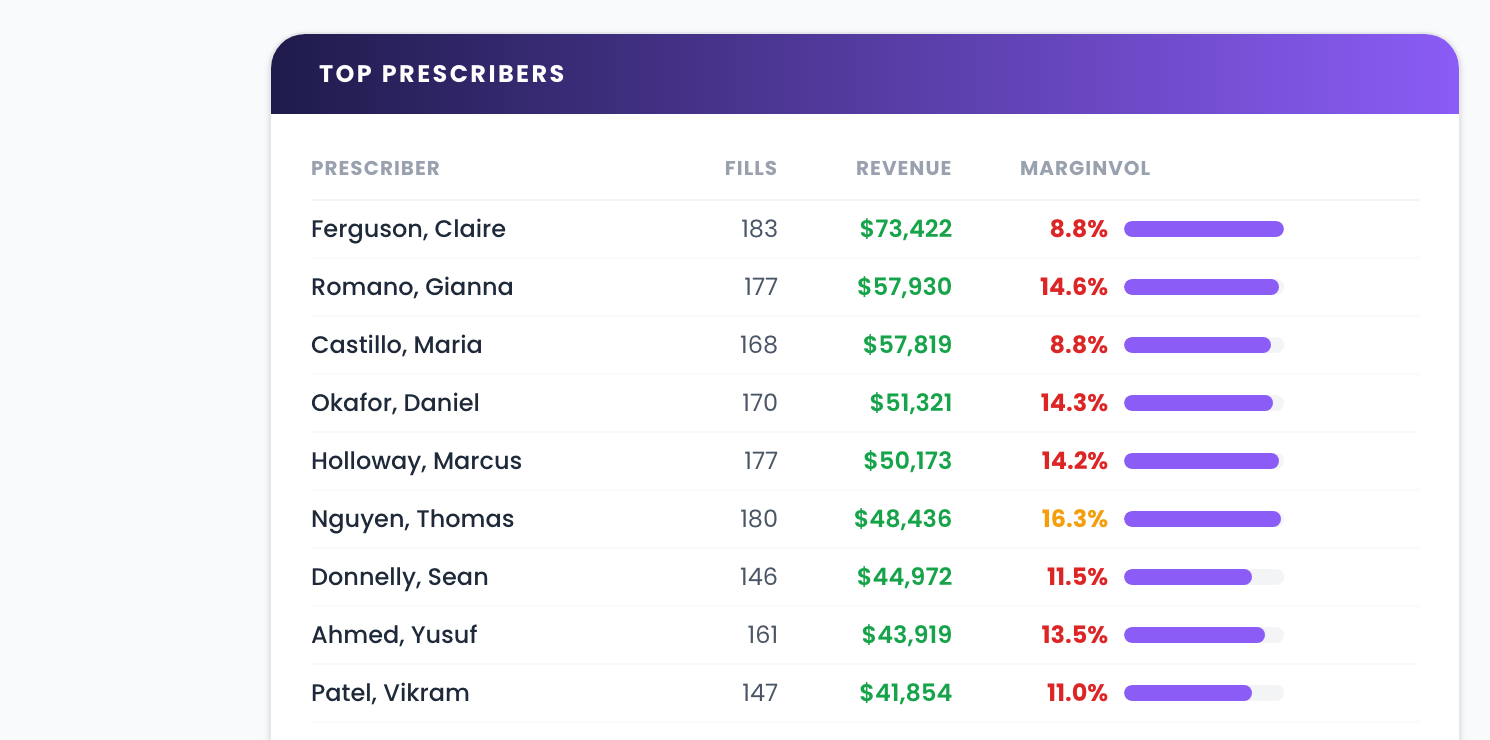
Top prescribers
Ranked by revenue and margin
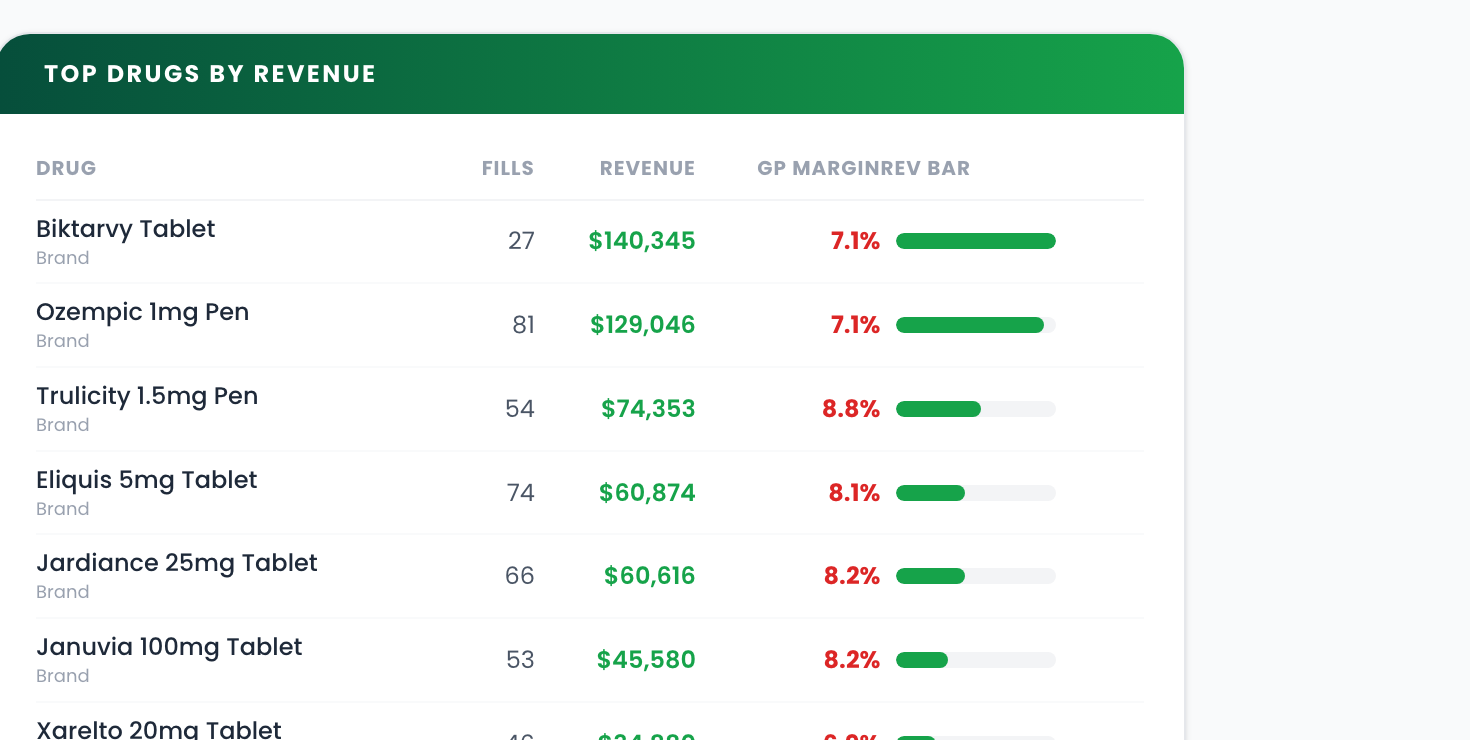
Top drugs by revenue
Brand and generic mix
ESP Claims Condenser
Growth + Optimization340B ESP submission files in a click
Generate one manufacturer-ready 340B ESP submission file straight from your DRX fills.
- Creates one file to submit to 340B ESP
- BMS extended-field support
- Built directly from your DRX fill data
Command Center
UltimateEvery location, monitored in real time
A live command view of all your stores — fill volume, revenue, and staffing across every site, with health badges that flag the locations needing attention right now.
- Real-time monitoring across all your sites
- Health badges flag stores needing attention
- Trend arrows and sparklines for every metric
- Fill-goal tracking across the network
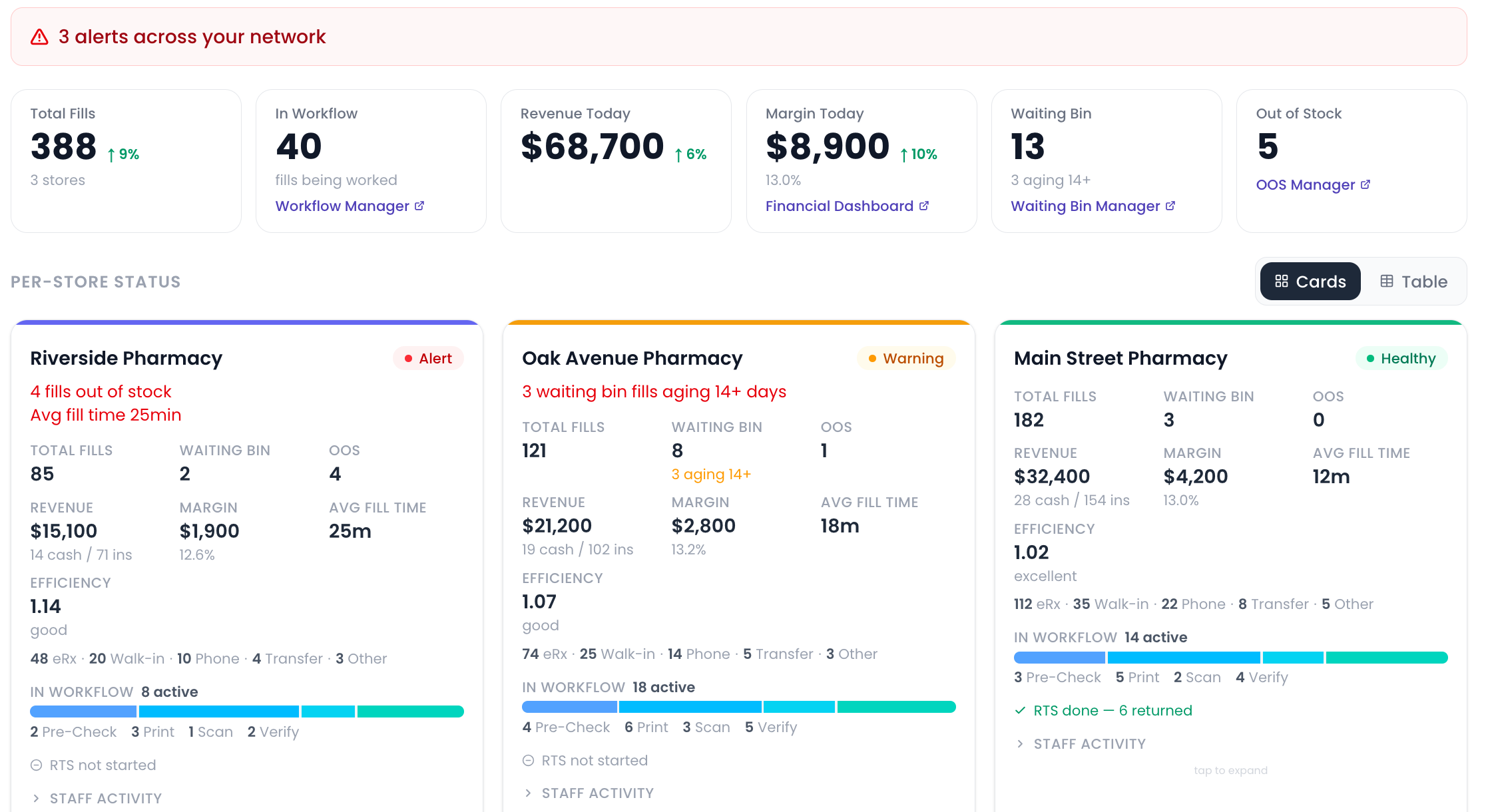
Multi-store overview
Health badges, alerts, and KPIs across every location
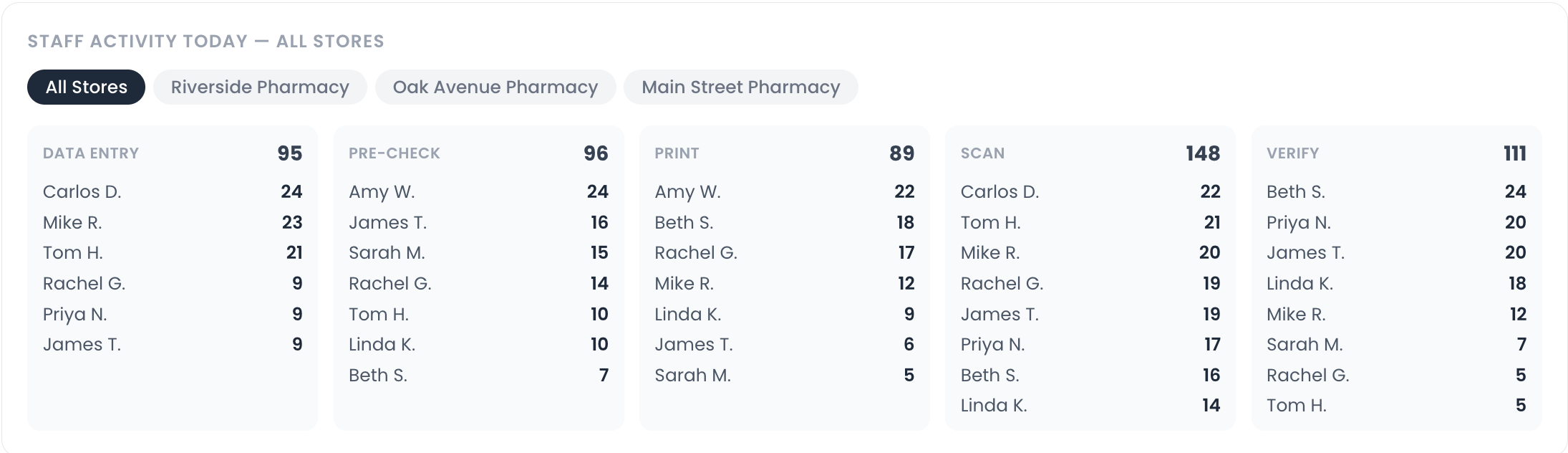
Staff leaderboard
Network-wide staff activity by workflow stage

Comparison table
Side-by-side store metrics, sortable by any column
Staffing & Activity Planner
UltimateStaff to the work, not to the guess
Visualize activity by hour and day across locations, size staffing to demand, and generate baseline shift-schedule templates you can fine-tune.
- Activity heat map by hour and day of week
- Staffing targets sized to real demand
- Creates baseline shift-schedule templates you can edit, with per-shift lunches
- Coverage planning across all locations
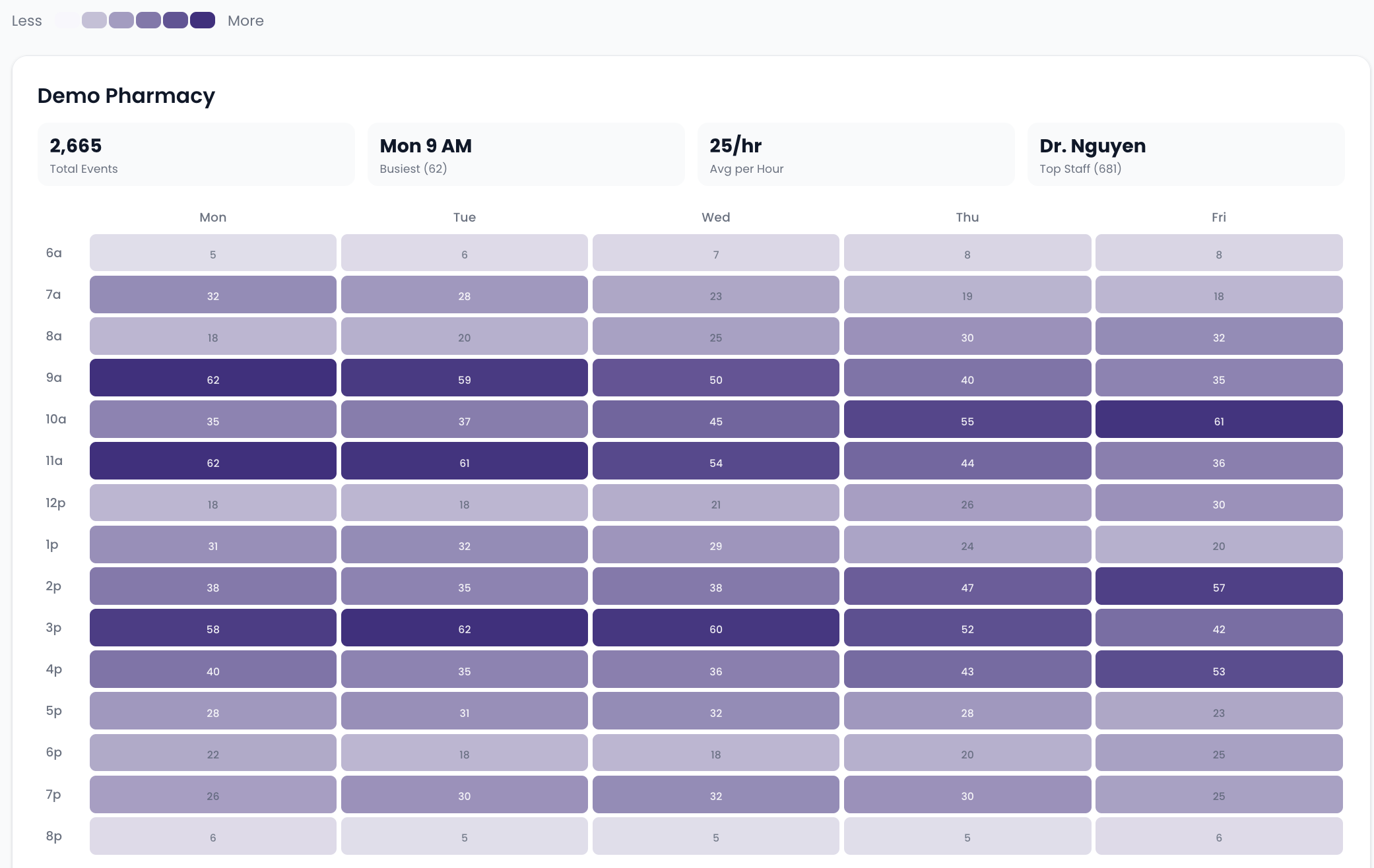
Activity heat map
Demand by hour and day of week
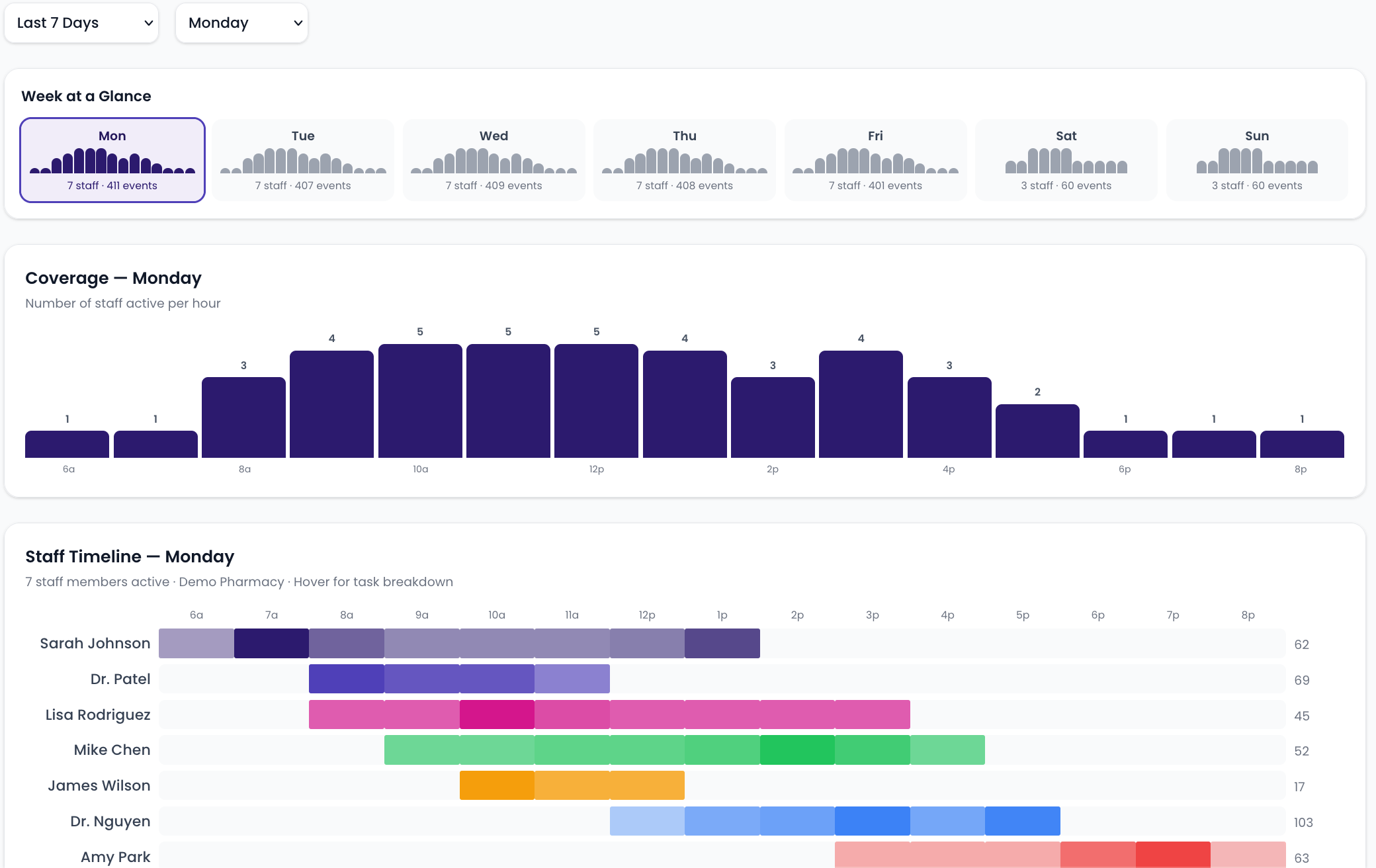
Coverage & staff timeline
Week at a glance with per-staff shift breakdown
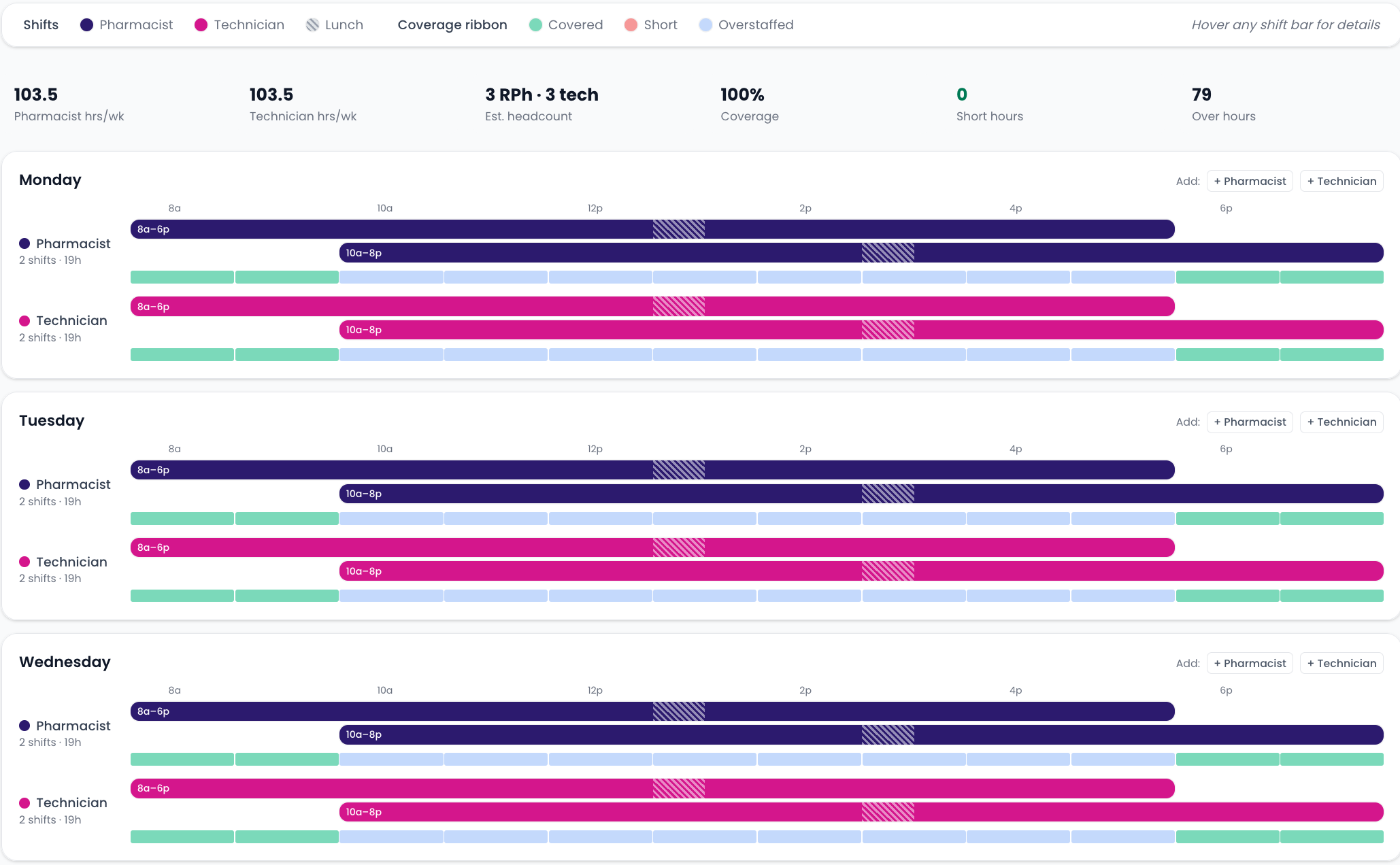
Shift schedule builder
Generated shift templates with coverage ribbons
Paperless Vaccine Form
On requestPaperless vaccine intake patients actually finish
Digital patient intake with screening questions, consent capture, and Surescript generation — no clipboard required.
Interested? Ask us about turning it on- Digital intake that lives on your DRXRefill page
- Built-in screening questionnaire
- Consent capture and signature
- Surescript generation on submit

Patient intake form
Bilingual vaccine intake with language selection
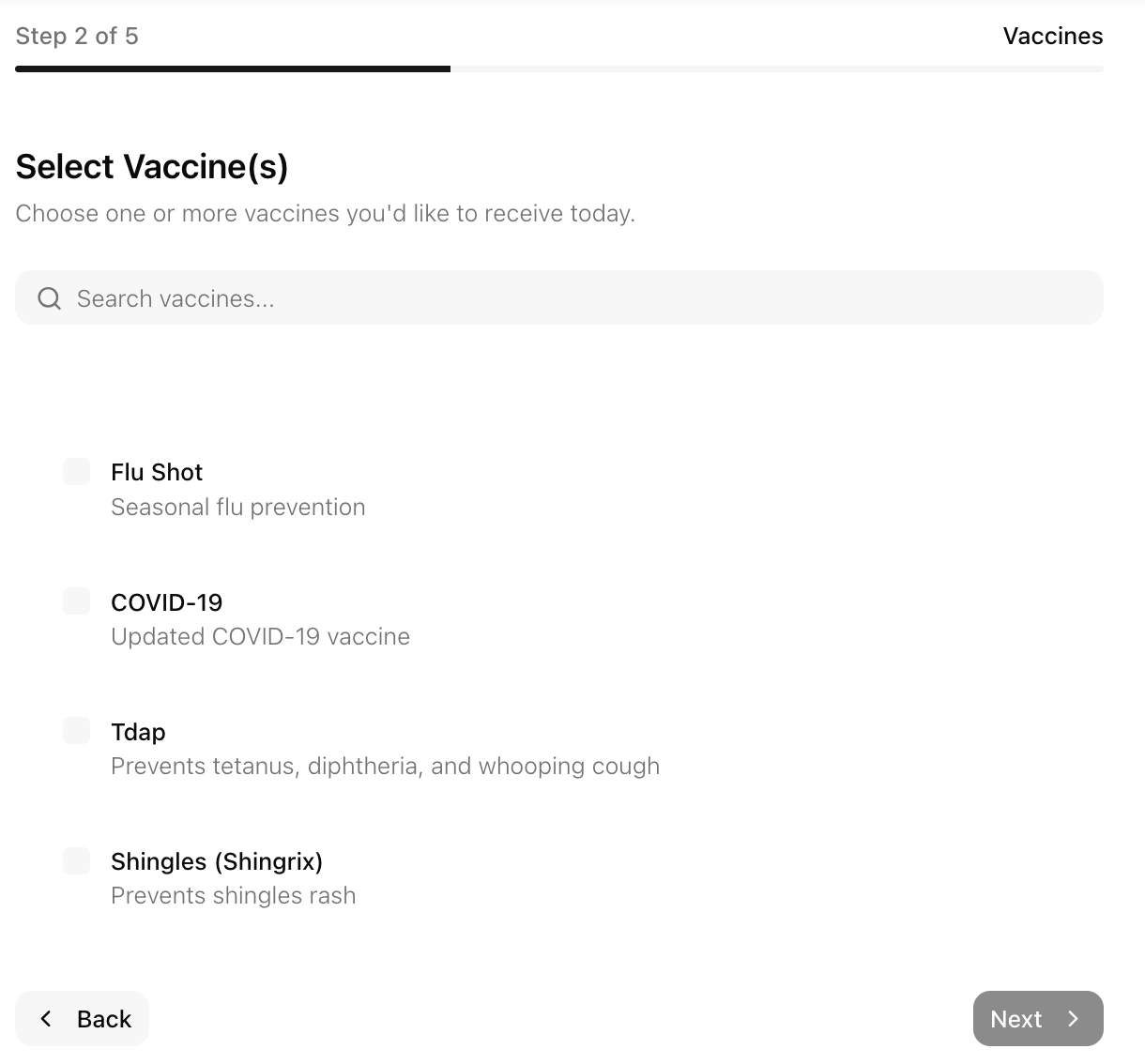
Screening questions
Built-in screening questionnaire
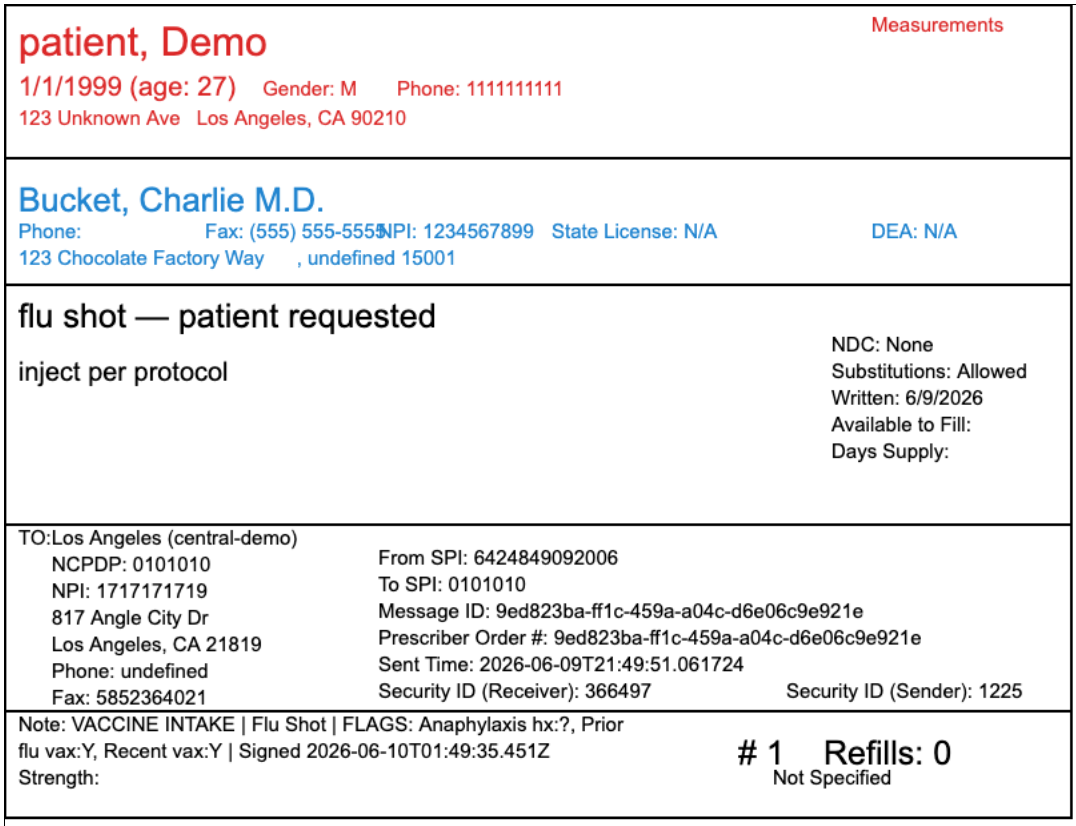
Surescript output
Generated Surescript ready for submission

Second hard copy
Printable hard copy for pharmacy records
Don't see what you need?
We build custom integrations and one-off tools on top of your DRX data, too. Tell us the problem — every project is scoped and priced to fit the work.